
Product Information
What is Craftman?
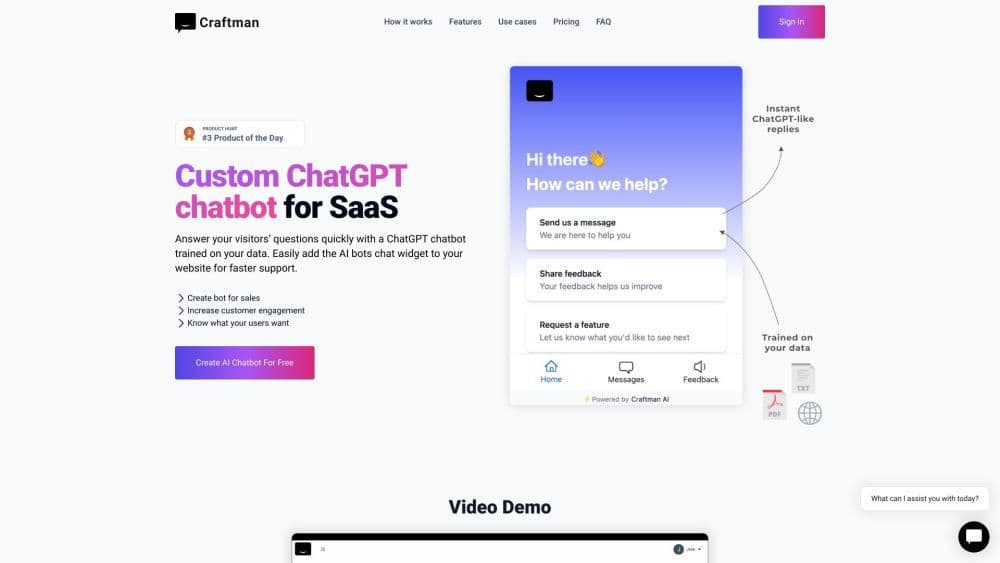
Craftman is an AI chatbot builder tool that trains ChatGPT with your data and allows you to embed the chat window into your website. Simply upload documents or share your website's link to create a chatbot capable of answering any questions about the content.
How to use Craftman?
To use Craftman, follow these three simple steps: 1. Add your data: Enter your website address or upload a PDF file to retrieve your content. 2. Start training: Select the pages you want the chatbot to learn and initiate the training process. 3. Your chatbot is ready: Once trained, your chatbot will be able to answer questions about your business.
Core Functions of Craftman
Instant Replies
Feedback Collection
Direct Feature Requests
24/7 Availability
Personalization
Usage Scenarios of Craftman
- Customer support
- Sales bot
- Wiki
Common Questions about Craftman
What is Craftman?
Is it easy to set up a chatbot on my website?
What are the main advantages of using an AI chatbot in customer support?
Can I customize the appearance and behavior of the chatbot?
How does integrating ChatGPT into a website improve user engagement?
What format does my data need to be in?
Do you use GPT-3 chatbots?
What kind of support do you provide?
Can I instruct my chatbot on what to do?
How do I place my chatbot on my website?
Can I get a refund?
Is it GPT-3.5 or GPT-4?
How do I change the chat appearance?
How do I upload a PDF document?
How do I select specific pages to train my bot?
Can it understand other languages?
How can an AI chatbot contribute to a 'guest-first' marketing strategy?
Where do you store my data?
Can I share my chatbot with others?