




Product Information
What is Aichatone?
AIChatOne is your one-on-one GPT-4 AI assistant. Press CMD/CTRL+B to open the sidebar or CMD/CTRL+M to access the full chat page, where you interact with AIChatOne. It assists with various tasks, including searching, reading, writing, translating, and more.
Key Features:
👉 Chat with AI
Multi-Chatbot Support: Engage with different LLM models such as GPT-3.5, GPT-4, GEMINI, CLAUDE-3, LLAMA 2, OLLAMA, Perplexity, Bing Copilot, Kimi, Mixtral, Gemma, and others—all available for comparison in one place.
Custom AI Characters: Utilize built-in AI personas or create your own to perform specific tasks.
Prompt Library: Access a vast repository of prompts instantly; simply press '/' to quickly retrieve your saved prompts.
Real-time Web Access: AIChatOne can respond using the latest internet information.
Voice Input & Output Support: Use the microphone button to communicate with AI in multiple languages.
Chat Folders: Stay organized by creating your own chat folders.
👉 Chat & Summarize
Chat with Docs: Upload DOC files directly into the chat to provide AI with crucial context, swiftly grasping key highlights.
Chat with Images: Screenshot or upload images and ask questions based on their content, powered by GPT-4V.
Webpage Summaries: Get precise summaries without reading entire articles or web content.
YouTube Summaries: Generate concise and clear summaries in seconds for quick reference.
📝 Writing Assistant:
Social Writer: For Twitter, Reddit? Your best assistant for editing posts or replies using AI.
Writing Agent: Simply provide a topic, and AIChatOne drafts an outline for you, expanding content with references. Use it in any webpage text box.
Email Replies: In Gmail or Outlook, AIChatOne analyzes email content and suggests reply options, letting you send appropriate responses with just a click—no typing needed.
👉 Search
Powerful search and filters help you instantly locate any past chat.
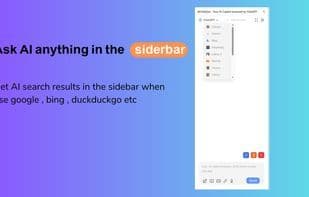
Get AI-powered search results in the sidebar when using Google, Bing, DuckDuckGo, and more.
👉 Powerful Sidebar
Ask anything right from the sidebar.
👉 Customizable
Dark Mode: Switch between light and dark themes.
Adjust response "temperature."
Themes.
👉 Secure & Privacy-Respecting
API keys are encrypted and stored locally. No in-app analytics. No intermediary servers. Your prompts are sent directly to OpenAI.
How to use Aichatone?
AIChatOne is an all-in-one AI assistant that integrates multiple advanced AI models (such as GPT-4, Claude 3, Gemini, etc.), designed to assist users with various tasks including chatting, searching, writing, reading, and translating, thereby enhancing work efficiency.
Core Functions of Aichatone
Lightweight
Distraction-free
Text-to-Image Generation
Ad-Free
Dark Mode
AI chatbot
Usage Scenarios of Aichatone
- Upload documents or images, converse with AI, and quickly extract key information.
- Summarize web articles or YouTube video content without reading them entirely.
- Edit posts or replies on social media platforms like Twitter and Reddit.
- Analyze email content in Gmail or Outlook and suggest reply options.
- Provide a topic and let AI draft an article outline and expand the content automatically.
- Get AI search results in the sidebar when using Google, Bing, and other search engines.
Common Questions about Aichatone
What does AIChatOne do?
How do I use AIChatOne?
What are the core features of AIChatOne?
What are the application scenarios of AIChatOne?



















