




Product Information
What is ChatGPT for Gmail and Google?
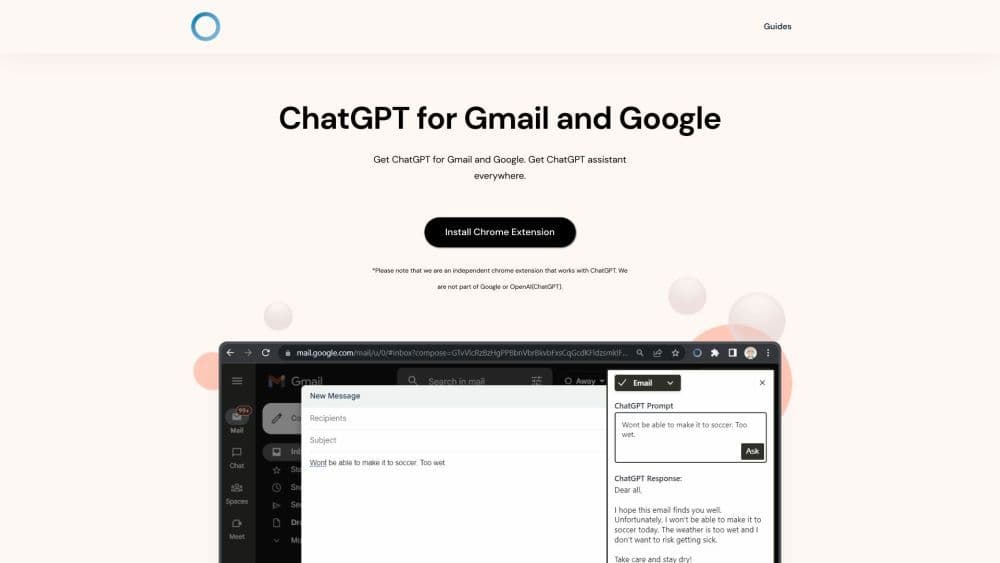
ChatGPT for Gmail and Google is a Chrome extension that brings ChatGPT's intelligence to your Google and Gmail experience. It allows you to access ChatGPT's language model for instant replies and accurate information from a vast knowledge database.
How to use ChatGPT for Gmail and Google?
1. Download and install the ChatGPT Everywhere Chrome extension. 2. Go to Google or click the extension icon in the top-right corner of your browser. 3. Enter your question or query for ChatGPT and receive a response. 4. For a richer experience, click the extension button to open the sidebar and unleash ChatGPT's full potential on any webpage.
Core Functions of ChatGPT for Gmail and Google
Instant access to a vast knowledge database powered by ChatGPT.
Easily obtain information when searching on Google using the Google Search Query Response feature.
Open the ChatGPT sidebar with a click using Sidebar Everywhere, accessible on any webpage.
Flexible and easy-to-use ChatGPT language model, providing answers and assistance wherever you are on the internet.
Usage Scenarios of ChatGPT for Gmail and Google
- Increase work efficiency and complete tasks faster by leveraging ChatGPT's intelligence
- Gain unlimited answers and accurate information from ChatGPT's vast knowledge database
- Simplify your workflow and save time by utilizing Google Search Query Response
- Experience the full potential of ChatGPT's language model with Sidebar Everywhere on any webpage
Common Questions about ChatGPT for Gmail and Google
Is this extension free?
Can I open the ChatGPT sidebar on any webpage?
Why am I asked to log in when I open the sidebar?
Is ChatGPT Everywhere part of OpenAI?



















