




Product Information
What is Getresponse?
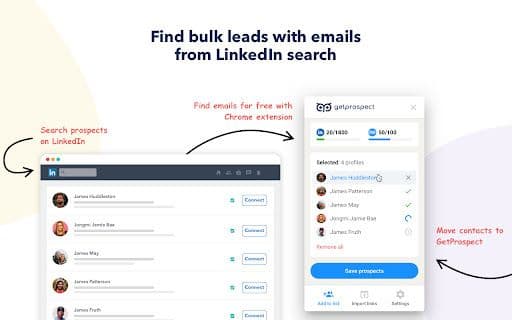
An effective tool designed to help you find and extract email addresses from LinkedIn profiles and other websites.
How to use Getresponse?
First, install the extension from the Chrome Web Store. Visit LinkedIn profiles or use search filters. Click the GetProspect icon to activate, then choose 'Save & Show Email' or 'Save Lead' to extract data. Manage leads in the web-based CRM for grouping, segmenting, and exporting.
Core Functions of Getresponse
Save Hundreds or Thousands of Contacts at Once
Ensure Compliance with LinkedIn's Rules and Limits to Avoid Account Blocking
Usage Scenarios of Getresponse
- Quickly find and verify potential customers' email addresses to build a strong contact list and improve outreach efforts.
Common Questions about Getresponse
Is this tool free to use?



















