




Product Information
What is Lm studio?
With LM Studio, you can...
🤖- Run LLMs on your laptop, completely offline
👾- Use models via the in-app CHAT UI or an OpenAI-compatible local server
📂- Download any compatible model files from the 🤗 Huggingface repository
🔭- Discover new and noteworthy LLMs on the app's homepage
How to use Lm studio?
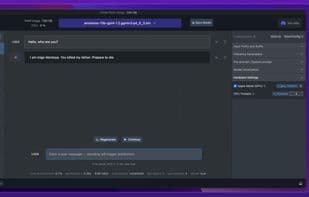
LM Studio is a desktop application that enables users to discover, download, and run large language models (LLMs) on their local computers. It supports offline usage and interaction through a chat interface or an OpenAI-compatible local server, and is free for both personal and work use.
Core Functions of Lm studio
No ads, no tracking, dark mode, no sign-up, offline available, AI chatbot
No ads, no tracking, dark mode, no sign-up, offline available, AI chatbot
No ads, no tracking, dark mode, no sign-up, offline available, AI chatbot
Ad-Free
No Tracking
Dark Mode
No Registration Required
Available Offline
AI chatbot
Usage Scenarios of Lm studio
- Run Large Language Models Offline on a Laptop.
- Interact with Models via In-App Chat Interface.
- Deploy and Use Models via OpenAI-Compatible Local Servers.
- Download Compatible Model Files from HuggingFace Repositories.
- Discover New Large Language Models on the App Homepage.
- Run Local AI Models Privately on Your Computer, Such as gpt-oss, Llama, Gemma, etc.
Common Questions about Lm studio
What does LM Studio do?
How do I use LM Studio?
What are the core features of LM Studio?
What are the use cases for LM Studio?



















