




Product Information
What is Macospilot?
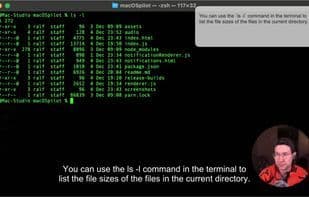
macOSpilot answers your questions about anything in any application. No need to switch to another window. Simply use a keyboard shortcut to activate the assistant, speak your question, and it will provide an answer both in context and via audio. Behind the scenes, macOSpilot takes a screenshot of your active window when triggered, sends it along with a transcript of your question to OpenAI GPT Vision. The response is displayed in text and converted to audio using OpenAI TTS (Text-to-Speech).
Use with any application in macOS: macOSpilot is application-agnostic, and when the assistant is triggered, it simply captures a screenshot of the currently active window.
Trigger with a keyboard shortcut and speak your question: No need to juggle windows—just press the keyboard shortcut and ask your question aloud.
Answers in text and audio: The answer to your question is provided in a small window at the top of the active application, along with an audio response (using text-to-speech).
How to use Macospilot?
macOSpilot is a voice and vision-powered AI assistant that answers user queries within any macOS application, delivering context-aware audio responses without the need to switch windows.
Core Functions of Macospilot
AI-Driven
Usage Scenarios of Macospilot
- Ask questions and get answers in any macOS application
- Quickly trigger AI assistant with keyboard shortcuts
- View answers in a small window above the active window
- Get information without switching application windows
Common Questions about Macospilot
What does macOSpilot do?
How do I use macOSpilot?
What are the core features of macOSpilot?
What are the use cases for macOSpilot?



















