




Product Information
What is Quickgpt?
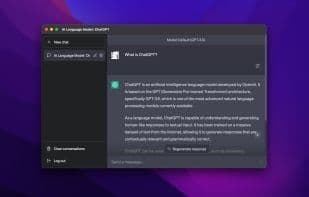
Easily access ChatGPT from the menu bar, dock, or via keyboard shortcuts. You can download the app for free by entering $0 in the price field. Key features: • Access from menu bar, dock, or keyboard shortcut • Stays on top of other windows • Share conversations with others • Launch at login • Hide menu bar icon • Defaults to GPT-4 • Design adjustments to match ChatGPT's web UI.
How to use Quickgpt?
QuickGPT is a desktop app for easy ChatGPT access via menu bar, Dock, or shortcuts.
Core Functions of Quickgpt
Located in the Menu Bar
Usage Scenarios of Quickgpt
- Quickly launch ChatGPT from the menu bar or Dock
- Instantly call up ChatGPT for queries or conversations via keyboard shortcuts
- Keep the ChatGPT window always on top while working on other tasks
- Easily share ChatGPT conversations with others
- Set the app to launch automatically at login for instant access
- Hide the menu bar icon for a cleaner interface
Common Questions about Quickgpt
What does QuickGPT do?
How do I use QuickGPT?
What are the core features of QuickGPT?
What are the use cases for QuickGPT?



















