
Product Information
What is Twintwit: ai browser?
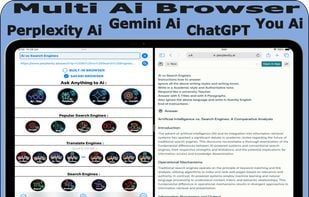
The Twintwit AI browser app is perfectly suited for iPad devices.
With this powerful AI tool, you can combine multiple AI platforms (all in one AI application),
enabling you to obtain better AI-generated answers.
Compare ChatGPT vs. Gemini AI vs. Perplexity AI and search engines, translations, and more.
With the split-screen feature on iPad,
you can quickly and efficiently find the best answers by working across websites alongside AI.
You can repeat this process endlessly without having to ask the same question repeatedly.
**Features of the Twintwit App:**
- Fine-tuned AI adjustment options across 6 categories:
Language, format, task, style, tone, and word count.
(Example: English, HTML, descriptive, summary, 20 headings, and 20 paragraphs.)
- A main/dynamic search bar with two sub/static search bars (before and after).
- Handy Google precision tools (search by time, file extension, intitle, inurl, etc.).
- Utilize various translation platforms for translations.
- Choose where to receive AI answers—from the built-in browser or Safari’s default browser.
- Process spin text directly in the search bar.
- AI sentence insertion tool.
- And much more.
**What’s the difference between other AI apps and the Twintwit app?**
**Twintwit App:**
You have a central query bar (just one input needed for the day).
Afterward, you select which AI platform to use.
**Other AI Apps:**
You manually choose different AI models from there,
but the answer results are computed only on that selected platform.
**Conclusion:**
If you want to enhance your AI research, the Twintwit AI browser offers a superior workflow on iPad.
How to use Twintwit: ai browser?
TwinTwit is an AI browser app designed for iPad, integrating and comparing answers from multiple AI platforms and search engines in one app to help users quickly obtain better AI responses and improve research efficiency.
Core Functions of Twintwit: ai browser
Lightweight
Ad-Free
AI writing
Multi-search engine
Multiple search engines
Usage Scenarios of Twintwit: ai browser
- Use Split-Screen on iPad to Quickly Compare Answers from Different AI Platforms Like ChatGPT, Gemini, and Perplexity Ai.
- Optimize Search Results with Google Precision Tools, e.g., by Time, Extension, Title, or URL.
- Use Different Translation Platforms for Text Translation.
- Leverage AI Fine-Tuning Options to Generate Customized AI Responses Based on Language, Format, Profession, Style, Tone, and Word Count.
- Avoid Repetitive Inputs with Main and Sub Search Bars to Improve Question Efficiency.
- Enhance AI Research Workflow to Quickly Evaluate Answers from Different AI Engines.
Common Questions about Twintwit: ai browser
What does TwinTwit do?
How do I use TwinTwit?
What are the core features of TwinTwit?
What are the use cases for TwinTwit?