
Product Information
What is Grok?
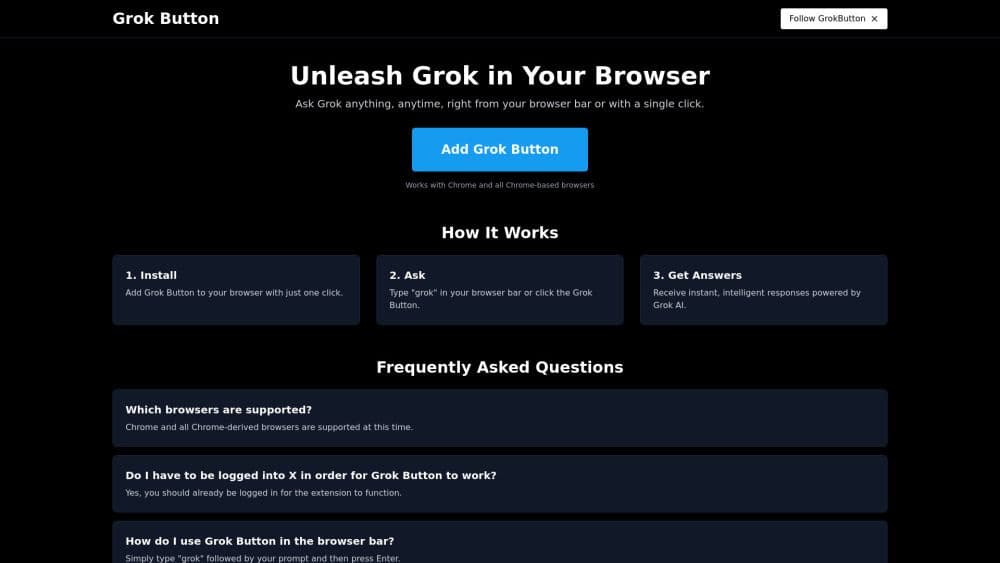
The Grok button is a browser extension that enables users to ask questions and receive intelligent responses powered by Grok AI directly within their browser. Simply by typing 'grok' followed by their query in the browser's address bar, users can instantly access AI-generated answers, enhancing their browsing experience.
How to use Grok?
To use the Grok button, install the extension and type 'grok' followed by your question in the browser address bar for instant answers.
Core Functions of Grok
Ask questions directly in the browser address bar
Instant intelligent answers provided by Grok AI
Compatible with Chrome and Chrome-based browsers
Usage Scenarios of Grok
- Easily ask questions while browsing the internet
Common Questions about Grok
Which browsers are supported?
Do I need to log in to X to use the Grok button?
How do I use the Grok button in the browser address bar?