
Product Information
What is MobileGPT?
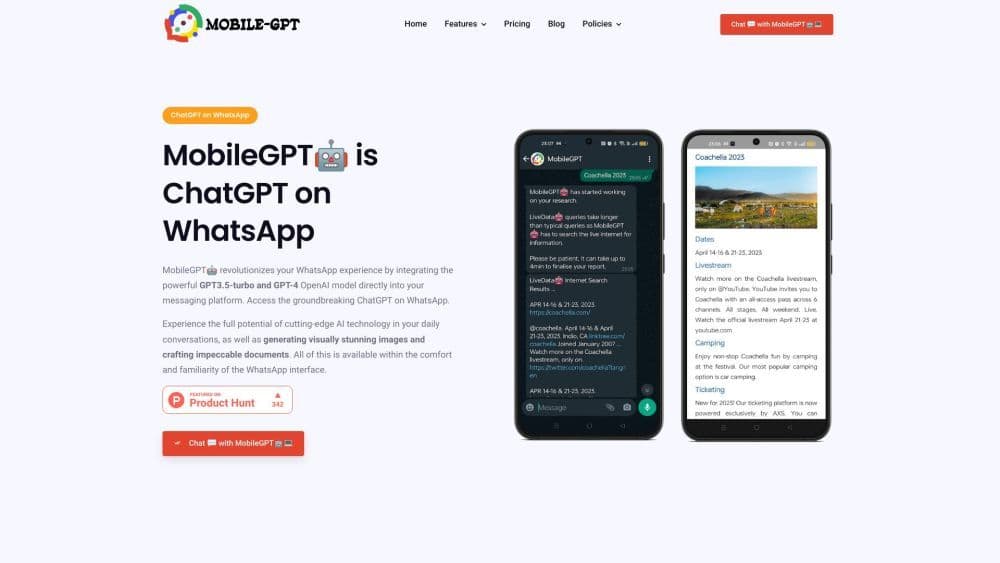
MobileGPT is a revolutionary WhatsApp application that integrates the advanced capabilities of the GPT-4 engine, offering users a personal AI assistant on their mobile devices. It provides seamless AI conversations similar to ChatGPT, AI-generated images, AI-crafted documents in Word format, and advanced language translation. By bringing these powerful AI features to WhatsApp, MobileGPT aims to transform the way users communicate, create, and collaborate on the go, enhancing their overall messaging experience.
How to use MobileGPT?
To use MobileGPT, simply install the app on your mobile device and connect it to your WhatsApp account. Once set up, you can start chatting with the AI assistant by sending messages, just like in a regular conversation. You can ask questions, request AI-generated content, create documents, and more. MobileGPT will process your input and generate responses or outputs based on the advanced capabilities of the GPT-4 engine.
Core Functions of MobileGPT
Seamless AI conversations powered by GPT-4 engine
AI-generated images and artwork
AI-created documents in Word format
Advanced language translation
Talk to PDF feature for document analysis and interaction
Use the 'ekse' command to interact with website content
Generate complete business plans and other custom documents
Real-time internet research and report generation
Magic commands for convenient information access
AI-based notes, reminders, and productivity tools
Usage Scenarios of MobileGPT
- Chat with MobileGPT as a smart companion for information, translation, math, etc.
- Generate AI documents including resumes, letters, reports, and business plans
- Interact with PDF documents and extract specific information
- Create AI-based chatbots to gather insights from websites
- Conduct real-time internet research and report compilation with MobileGPT
- Obtain AI-generated images and artwork in various styles and proportions
- Enhance productivity with note-taking, reminders, and website interaction features
Common Questions about MobileGPT
No common questions available, please contact customer service for details