
Product Information
What is Browse AI?
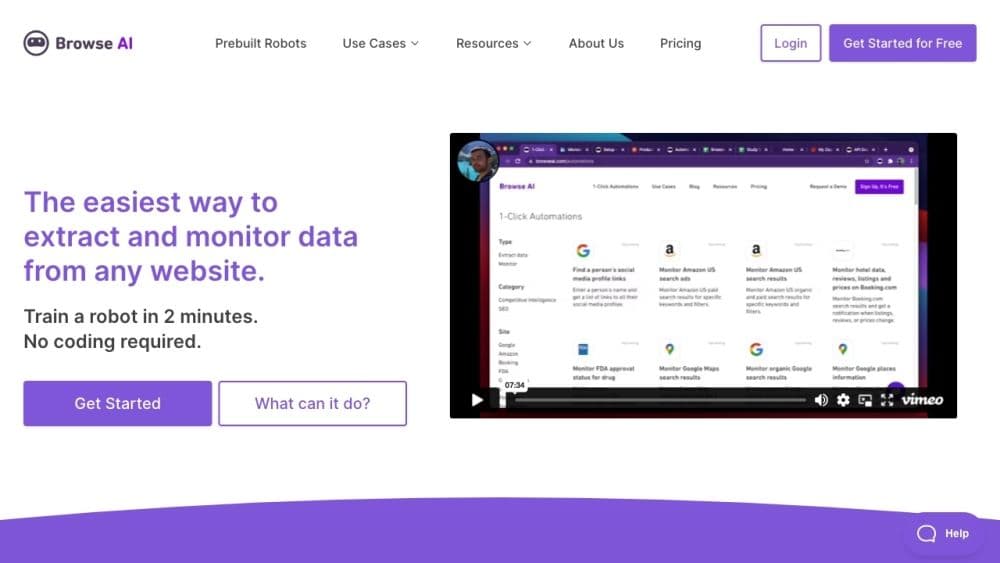
Browse AI is a web automation tool that allows users to easily scrape and monitor data from any website without coding. It offers various features to extract specific data, monitor webpage changes, and convert websites into APIs for seamless integration with other applications.
How to use Browse AI?
Using Browse AI is very simple—complete no-code bot training in just 2 minutes. The platform offers pre-built bots for common use cases, ready for immediate use. Users can extract data from any website in spreadsheet format, schedule data extraction, receive notifications for changes, and integrate with over 7,000 applications. Additionally, Browse AI supports pagination, scrolling, CAPTCHA solving, and location-based data extraction globally.
Core Functions of Browse AI
Data extraction: Extract specific data from any website in spreadsheet format.
Monitoring: Extract data from websites on a schedule and receive notifications about changes.
Pre-built bots: Browse and use pre-built bots for common use cases.
Batch run: Run up to 50,000 bots simultaneously.
Simulate user interactions: Simulate user interactions for more advanced data extraction on websites.
Handle pagination and scrolling: Automatically handle pagination and scrolling to extract data from multiple pages.
Solve CAPTCHAs: Automatically solve CAPTCHAs during data extraction.
Integrate with 7000+ applications: Seamless integration with a wide range of apps and services.
Orchestrate bots with workflows: Create custom workflows by orchestrating multiple bots.
Auto-adapt to website layout changes: Automatically adapt to website layout changes for consistent data extraction.
Start for free, pay as you go: Start using BrowseAI for free and choose a pricing plan based on usage.
Usage Scenarios of Browse AI
- Monitor Company Info on LinkedIn: Track changes in company details or employee lists on LinkedIn.
- Extract Job Postings from LinkedIn: Retrieve job listings for specific positions and locations from LinkedIn.
- Extract App List from Google Workspace Marketplace: Scrape the list of apps on Google Workspace Marketplace.
- Extract App List from Zapier: Retrieve the list of available apps on Zapier.
- Extract App Details from Zapier: Extract specific details of apps listed on Zapier.
- Extract Job Posting Details from Monster.com: Retrieve detailed information on job postings from Monster.com.
- Extract Job Listings from Upwork: Retrieve job listings from Upwork search URLs.
- Extract Details from Upwork Job Postings: Extract data from Upwork job detail pages.
- Extract Job Listings from SEEK: Scrape job postings from Seek.com.
- Extract Company Info from Clutch: Retrieve company lists from category pages on Clutch.co.
- Extract TikTok Video Info and Comments: Scrape data like descriptions, authors, and comments from TikTok videos.
- Extract Account Info and Videos from TikTok: Retrieve account info and videos from TikTok accounts.
- Extract Extension Info from Chrome Web Store: Retrieve information from extension pages on Chrome Web Store.
- Extract Extension Reviews from Chrome Web Store: Scrape reviews from extension pages on Chrome Web Store.
- Extract Google Search Results by Country: Retrieve Google search results for keywords from selected countries.
- Extract Job Posting Details from Indeed: Retrieve detailed information on job postings from Indeed.com.
- Extract Related Search Keywords from Google: Retrieve related searches from the bottom of Google search pages.
- Extract Job Posting Lists from LinkedIn Search URLs: Retrieve job listings from LinkedIn job search URLs.
- Extract Search Results from DuckDuckGo: Scrape search results from DuckDuckGo.
- Extract Software List from Capterra.com Categories: Retrieve software lists from category pages on Capterra.com.
- Extract Overview and Competitors from ZoomInfo: Retrieve company information from ZoomInfo.
- Extract Comments from Reddit Search Results: Extract valuable insights from Reddit discussions.
- Extract Online Events from Eventbrite: Scrape Eventbrite online events for specified keywords.
- Extract Plugin Search Results from WordPress.org: Retrieve plugin info from WordPress.org plugin repository.
- Extract Sellers and Services from Fiverr Search Results: Retrieve sellers and services from Fiverr search results.
- Extract Users from Reddit Search Results: Retrieve users from Reddit search results.
- Monitor Google Maps Search Results: Track changes in locations from Google Maps search results.
- Monitor Organic Google Search Results: Track changes for specific keywords in organic Google search results.
- Monitor Google Place Info: Track new reviews, photos, or profile changes for Google Places.
- Extract Search Results from Amazon US: Scrape organic and paid search results for specific keywords on Amazon US.
- Scrape Search Results from Google Maps: Retrieve relevant location info for search terms from Google Maps.
- Retrieve Google Search Results: Extract Google search results (organic and paid) for specific keywords.
- Scrape Hotel Reviews from Hotels.com: Retrieve hotel reviews from Hotels.com.
- Extract Group Posts from Indie Hackers: Retrieve group posts from Indie Hackers.
- Monitor Country Trends on Google Trends: Track search trends in countries to discover new trends.
- Extract Hotel Data, Reviews, Listings, and Prices from Booking.com: Scrape booking data from Booking.com.
- Extract Specific Hotel Data from Booking.com: Retrieve detailed info about specific hotels from Booking.com.
- Extract Company Details from AngelList: Download company details from AngelList.
- Extract Videos from YouTube Channels: Retrieve lists of uploaded videos from YouTube channels.
- Scrape Craigslist Search Results Pages: Scrape Craigslist search results pages.
- Extract Search Results from Google Scholar: Scrape search results from Google Scholar.
- Extract Hotel Prices from Google Hotel: Scrape hotel prices from Google Hotel.
- Scrape Hotel Reviews from Booking.com: Retrieve hotel reviews from Booking.com.
- Extract Products from Amazon Search Results via URL: Extract valuable data from any Amazon listing.
- Extract Search Results from Bing US: Scrape search results from Bing US.
- Extract HTML Code and Full Screenshots from Webpages: Retrieve HTML code and full screenshots from any webpage.
- Extract Video Transcripts from YouTube: Retrieve transcripts from any YouTube video.
- Extract Channel Lists and Their Info from YouTube US Search Pages: Retrieve channel lists from YouTube search pages.
- Extract Comments from YouTube Videos: Retrieve comment lists from any YouTube video.
- Extract Freelance Project Lists from Freelancer.com: Scrape freelance project lists from Freelancer.com.
- Extract Project Details from Freelancer.com: Retrieve project details and bidder lists from Freelancer.com.
- Extract App and Game Lists from Google Play: Scrape app and game lists from Google Play.
- Extract Headings, Paragraphs, and Images from Webpages: Retrieve headings, paragraphs, and images from any webpage.
- Scrape Hotel Listing Info from Tripadvisor: Retrieve hotel listings from Tripadvisor.
- Extract Location Lists from Airbnb Search Results: Gain valuable insights from Airbnb hotel listings.
- Scrape Hotel Listing Info from Expedia: Extract data from Expedia to find perfect accommodations.
- Extract Service Lists from Yellow Pages: Optimize workflows by extracting service lists from Yellow Pages.
- Extract Product Details from Bestbuy.com: Retrieve product details from Bestbuy.com.
- Extract Property Lists from LoopNet: Gain valuable insights from LoopNet property listings.
- Extract Location Details from Google Maps: Retrieve detailed info about locations from Google Maps.
- Extract Playlists from YouTube Channels: Gain in-depth insights from YouTube channel playlists.
- Extract Short Videos from YouTube Channels: Scrape lists of short videos from any YouTube channel.
Common Questions about Browse AI
How do I get started?
Do I need to know how to code?
What are credits?
What is a bot (or task)?
Which websites does Browse AI support?
How is my data kept secure?
Can I pay in local currency?
Are there any discounts?
What is the refund policy?
What if I have more questions?
Interested in Pro or Enterprise but have questions?