
Product Information
What is GPT?
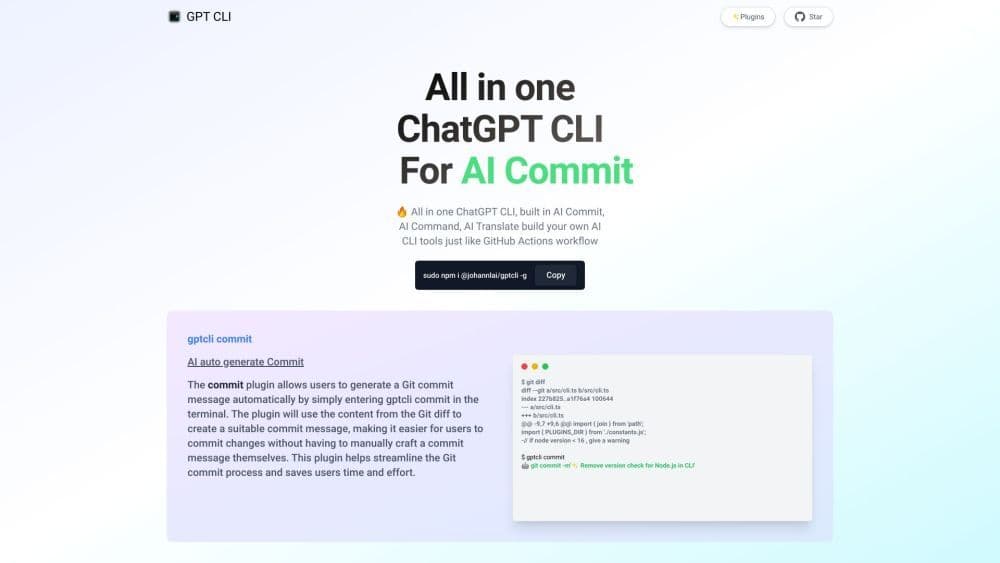
GPT CLI is a command-line interface tool that allows you to create your own ChatGPT CLI tool in seconds. With GPT CLI, you can customize the CLI tool according to your needs, making your work more efficient. It converts natural language processing (NLP) into structured data.
How to use GPT?
To use GPT CLI, you need to install it globally by running the command 'sudo npm i @johannlai/gptcli -g'. Once installed, you can use various plugins like AI Command, AI Translate, and AI Weather. For example, use the 'gptcli commit' command to auto-generate Git commit messages. You can also leverage the 'gptcli command' plugin to convert natural language commands into executable CLI commands.
Core Functions of GPT
The core features of GPT CLI include creating customizable CLI tools, converting NLP to structured data, auto-generating Git commit messages, and natural language command conversion.
Usage Scenarios of GPT
- GPT CLI can be used in various contexts like software development (automating Git commit messages), language translation (using AI Translate plugin), and command-line operations (converting natural language commands to executable CLI commands).
Common Questions about GPT
Can I customize CLI tools created with GPT CLI?
Are there any limitations to the natural language command conversion feature?
Is GPT CLI free to use?
Can GPT CLI be used on any operating system?