
Product Information
What is Toolbar?
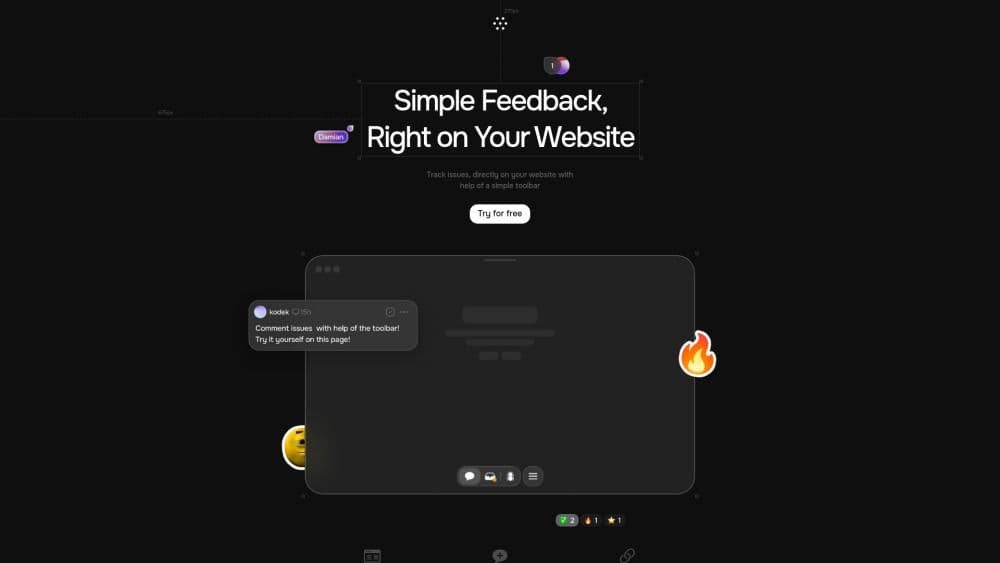
Toolbar is a rapid feedback tool designed specifically for organizations, enabling users to leave comments directly on their websites, track issues, and manage tasks. It streamlines the feedback process by facilitating direct collaboration among developers, clients, and stakeholders, eliminating the need for emails and screenshots.
How to use Toolbar?
To use Toolbar, simply install it on your website and start leaving comments and tracking issues directly on the page with its user-friendly interface. This enables instant collaboration without the hassle of traditional communication methods.
Core Functions of Toolbar
Instant Issue Reporting
Precise Defect Tracking with Device Details
Easy Task Management
Barrier-Free Collaboration
AI-Powered Task Enhancement
Usage Scenarios of Toolbar
- Report website defects directly from the page
- Collaborate with clients and developers in real-time
- Efficiently track project issues
Common Questions about Toolbar
How does Toolbar improve the feedback process?
Can I try Toolbar for free?