
Product Information
What is Auto hosts?
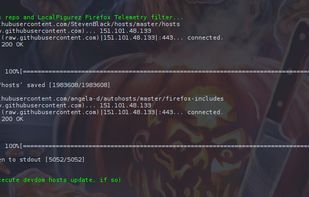
When combined with ad blockers like Ublock Origin and Umatrix, host files serve as useful redundancy—while debugging or using NoScript to 'temporarily allow on this site,' they can protect you from basic attacks or privacy invasions. Browser filters won't protect you if the browser itself calls home. With an up-to-date hosts file, the risk is significantly reduced. Auto Hosts automates the setup process to maintain the latest hosts file by: Installing a weekly cronjob to pull a copy of Steven Black's hosts file (default: every Sunday at 7:22 PM); Appending Facebook trackers, LinkedIn ads, Google Fonts, Firefox telemetry, and other curated lists of harvester sites not included in its blacklist; Refreshing DNS to instantiate rerouting changes (Mac only); Appending all local virtual hosts if DevDom is installed. Security icon from DesignContest.com.
How to use Auto hosts?
Auto Hosts is a tool for Linux and MacOS systems that automates the updating of the hosts file, enhancing user privacy and security by maintaining an up-to-date hosts file to effectively block various web trackers and potential privacy violations.
Core Functions of Auto hosts
Blocking Trackers, Ad Blocking via DNS
Preventing Trackers, Ad Blocking via DNS
Usage Scenarios of Auto hosts
- Automate updating hosts files on Linux and MacOS
- Block Facebook trackers and LinkedIn ads
- Block Google fonts and Firefox telemetry
- Prevent privacy violations from browsers 'phoning home'
- Provide additional security redundancy when debugging or temporarily allowing scripts
- Append all local virtual hosts when installing Devdom
Common Questions about Auto hosts
What does Auto hosts do?
How do I use Auto hosts?
What are the core features of Auto hosts?
What are the use cases for Auto hosts?