




Product Information
What is Blend-icons?
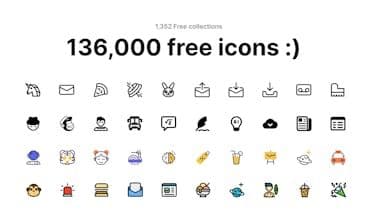
Blend Icons is praised for its extensive and customizable free SVG icons, offering both monochrome and colored options. Users can freely download clean UI and easily accessible icons, making it a valuable resource for adding visual elements to projects. Some users have expressed interest in additional features, such as paid API plans for commercial use. Despite reported technical issues, overall feedback highlights the platform's potential for success and its utility in design and development.
How to use Blend-icons?
Blend Icons offers a vast collection of free SVG icons in monochrome and color options, helping users quickly add high-quality visuals to projects for design efficiency.
Core Functions of Blend-icons
Massive Free SVG Icons Library
Supports Monochrome & Color Icon Selection
Free Icon Downloads
Clean User Interface
Bulk Download Support
Editable Icon Strokes & Shapes
Usage Scenarios of Blend-icons
- Add visual elements to design projects
- Quickly find icons for various projects
- Customize icons in design software like Figma and Adobe
- Boost creative work efficiency
Common Questions about Blend-icons
What does Blend Icons do?
How do I use Blend Icons?
What are the core features of Blend Icons?
What are the application scenarios of Blend Icons?
















