




Product Information
What is Bookmarkhub?
BookmarkHub is a browser extension that synchronizes your bookmarks across different browsers.
It utilizes GitHub's GIST records to store browser bookmarks securely.
First, you must have a GitHub account and create a token with access to GISTs, then create a GIST.
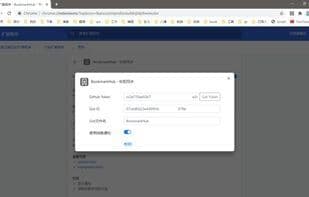
Open BookmarkHub's settings panel and fill in your GitHub token and GIST ID.
After uploading your bookmarks, you can open the GIST to verify.
Find out more: https://github.com/dudor/BookmarkHub
Features:
- No registration required, just use your GitHub account's token and GIST
- Easy one-click upload and download of bookmarks
- One-click clear all local bookmarks
- Supports cross-device and cross-browser bookmark synchronization
- Displays the count of local and remote bookmarks
How to use Bookmarkhub?
BookmarkHub is a browser plugin that uses GitHub Gist to securely sync bookmarks across different browsers, ensuring data consistency across devices and browsers.
Core Functions of Bookmarkhub
Browser Extension
Bookmark
Usage Scenarios of Bookmarkhub
- Sync bookmarks between mainstream browsers like Chrome, Firefox, and Microsoft Edge
- Keep bookmarks synchronized across different computers or devices
- Upload local bookmarks to GitHub Gist with one click for backup
- Download bookmarks from GitHub Gist to the browser with one click
- Clear all local bookmarks with one click for organization
- View uploaded bookmark content via Gist
Common Questions about Bookmarkhub
What does BookmarkHub do?
How do I use BookmarkHub?
What are the core features of BookmarkHub?
What are the use cases for BookmarkHub?
















