




Product Information
What is Browser-kit-for-figma?
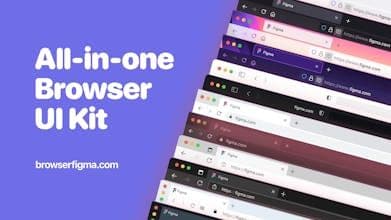
Browser Kit is a set of components for capturing screenshots in Figma designs. Screenshots go directly from the browser into your design file, thanks to the magic of Figma components. All major browsers are supported, including mobile and desktop; Win/Mac.
How to use Browser-kit-for-figma?
Browser Kit for Figma is a smart component that helps designers quickly import browser screenshots into Figma designs and create realistic product prototypes and marketing materials, improving design efficiency.
Core Functions of Browser-kit-for-figma
Import browser screenshots into Figma designs
Provides various mainstream browser components (e.g., Chrome, Safari)
Browser interface resizable freely
Supports custom styles, names, and addresses
Toggle between dark and light themes
Simulate pop-ups, notifications, and extensions
Usage Scenarios of Browser-kit-for-figma
- Manage browser screenshots in Figma product design
- Create realistic product prototypes
- Produce compelling marketing and sales materials
- Efficiently showcase design work
Common Questions about Browser-kit-for-figma
What does Browser-kit-for-figma do?
How do I use Browser-kit-for-figma?
What are Browser-kit-for-figma's core features?
What are Browser-kit-for-figma's use cases?
















