




Product Information
What is Browser tamer?
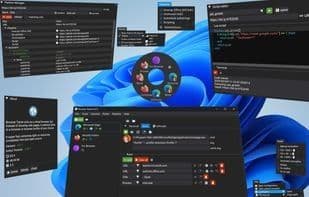
Do you have multiple browsers or browser profiles on your computer? Do you want to open different links or profiles without manually switching? If so, you need Browser Tamer! Browser Tamer is a smart and powerful tool that acts as a browser proxy on your machine. It captures the links you click and redirects them to your chosen browser or profile. You can set rules based on the link's domain, protocol, file extension, etc. Browser Tamer is so small it fits on a floppy disk (remember those?) and runs on any device, even your grandma's old PC. Browser Tamer is also completely free, so you won't pay a dime for its amazing features. Best of all, Browser Tamer is eco-friendly and never uses more than 0% CPU or any CO2 (good for 🌎). It runs on green energy and even recycles its own code. Plus, Browser Tamer doesn't track you or sell your data to anyone. It respects your privacy, letting you enjoy the internet worry-free. So what are you waiting for? Download now and experience the difference!
How to use Browser tamer?
Browser Tamer is a smart and powerful tool that acts as a browser proxy, capturing clicked links and redirecting them to the user's chosen browser or profile based on preset rules, enabling automatic link opening in different browsers.
Core Functions of Browser tamer
Lightweight
Support Themes
Privacy-Focused
No Registration Required
Ad-Free
Portable
Usage Scenarios of Browser tamer
- Automatically open links in designated browsers when multiple browsers or profiles are installed on the machine.
- Set rules based on link domains, protocols, or file extensions for intelligent link redirection.
- Open different links in different browsers or profiles without manual switching.
- Select different browser profiles from the browser selector window to open links.
Common Questions about Browser tamer
What does Browser Tamer do?
How do I use Browser Tamer?
What are the core features of Browser Tamer?
What are the application scenarios for Browser Tamer?
















