




Product Information
What is Classic mode for wikipedia?
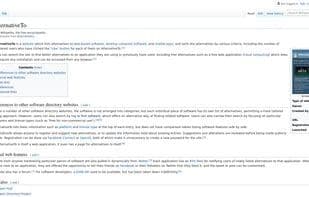
Every time you visit a Wikipedia page or article, you are automatically redirected to its classic layout version (i.e., before the interface changes in January 2023). It does not require a Wikipedia account. If you wish to revert to the new interface, simply disable or uninstall this add-on.
This add-on is non-commercial and will remain so. It respects your privacy and does not retrieve or send any data anywhere (nor will it ever).
The extension also works with other Wikimedia projects: Wikimedia Commons, Wiktionary, Wikisource, Wikidata, and MediaWiki. It keeps the nostalgic Wikipedia untouched.
Anyone is free to read and reuse its source code. Feel free to report bugs, suggest improvements, or even contribute directly to the code on GitHub!
How to use Classic mode for wikipedia?
Classic mode for Wikipedia is a Firefox extension that automatically redirects users to Wikipedia's classic layout (pre-January 2023 update), letting them continue using the old interface.
Core Functions of Classic mode for wikipedia
Lightweight, no tracking, Wikipedia integration, layout
Lightweight
No Tracking
Wikipedia integration
Layout
Usage Scenarios of Classic mode for wikipedia
- Automatically Display Classic Layout When Accessing Any Wikipedia Page or Article.
- Use the Classic Interface on Other Wikimedia Projects Like Wikimedia Commons, Wiktionary, Wikisource, Wikidata, and MediaWiki.
- Experience the Classic Interface Without a Wikipedia Account.
- For Users Who Wish to Restore the Pre-January 2023 Wikipedia Interface.
Common Questions about Classic mode for wikipedia
What does Classic mode for Wikipedia do?
How do I use Classic mode for Wikipedia?
What are the core features of Classic mode for Wikipedia?
What are the application scenarios for Classic mode for Wikipedia?
















