




Product Information
What is Crossbrowsertesting?
The all-in-one web testing platform supports manual, visual, and automated testing across over 1,500 different desktop and mobile browser configurations. Test Safari, Internet Explorer, Android, iOS, and more.
**Manual Testing:**
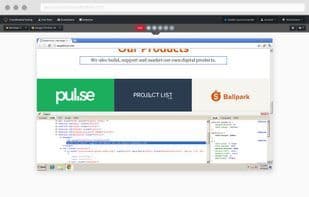
Native debugging tools make manual testing easy, allowing you to inspect and correct HTML, CSS, and JavaScript errors on any browser.
**Visual Testing:**
Automatically capture screenshots across multiple browsers at once and compare historical test runs side by side.
**Automated Testing:**
Run all your automated tests on our cloud-based testing platform. We integrate with Selenium, Appium, WebDriver.io, Protractor, and more.
How to use Crossbrowsertesting?
CrossBrowserTesting tests websites on 1500+ browser configurations for compatibility and functionality.
Core Functions of Crossbrowsertesting
Browser Extension
Cross-browser testing
Usage Scenarios of Crossbrowsertesting
- Run tests on various browsers including Safari, Internet Explorer, Android, and iOS
- Use native debugging tools to inspect and fix HTML, CSS, and JavaScript errors
- Automatically capture screenshots across multiple browsers and compare them side-by-side with historical test runs
- Run automated tests like Selenium, Appium, WebDriver.io, and Protractor on cloud testing platforms
Common Questions about Crossbrowsertesting
What does CrossBrowserTesting do?
How do I use CrossBrowserTesting?
What are the core features of CrossBrowserTesting?
What are the use cases for CrossBrowserTesting?
















