



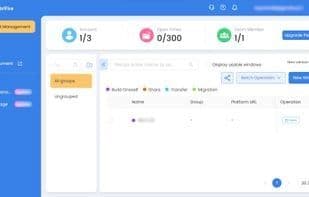

Product Information
What is Ctrlfire?
CTRLFire Fingerprint Browser delivers a secure, user-friendly browsing experience with advanced features for privacy and efficiency. Key functions include seamless multi-account management, robust privacy protection via fingerprint technology, anti-detection capabilities for enhanced online privacy, and automation tools for batch operations to boost productivity.
How to use Ctrlfire?
Ctrlfire fingerprint browser offers a secure, user-friendly browsing experience, enabling seamless multi-account management, robust privacy protection, anti-detection capabilities, and support for automated batch operations to enhance productivity.
Core Functions of Ctrlfire
Privacy-focused, connect multiple accounts, built-in VPN, no ads, block trackers, website translation
Privacy-Focused
Connect Multiple Accounts
Built-in VPN
Ad-Free
Block trackers
Website Translation
Usage Scenarios of Ctrlfire
- Seamlessly handle multiple windows representing different global locations
- Shop online, simulating local user behavior
- Manage multiple online accounts
- Protect online privacy and avoid detection
- Perform batch operations with automation tools
Common Questions about Ctrlfire
What does Ctrlfire do?
How do I use Ctrlfire?
What are the core features of Ctrlfire?
What are the use cases for Ctrlfire?
















