




Product Information
What is Dragit!?
Drag a link or selected text to open/search in a new tab. Drag to the right for a new, focused tab. Drag to the left for a new, unmarked tab.
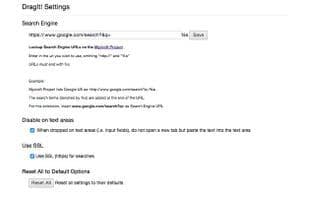
Search (default Google): Select text and drag it to a blank area.
Open link in a new tab: Drag the link and drop it.
Drag right: Open link/search in a focused tab (foreground).
Drag left: Open link/search in an unfocused tab (background).
How to use Dragit!?
DragIt! is a Chrome extension that allows users to open or search content in new tabs by dragging and dropping links or selected text. It also lets users control the focus state of new tabs by dragging in different directions, enhancing browsing efficiency.
Core Functions of Dragit!
Drag and Drop
Usage Scenarios of Dragit!
- Select text and drag it to a blank area to search using the default search engine (e.g., Google).
- Drag and drop links to open them in a new tab.
- Drag links or selected text to the right to open or search in a new focused (foreground) tab.
- Drag links or selected text to the left to open or search in a new unfocused (background) tab.
Common Questions about Dragit!
What does DragIt! do?
How do I use DragIt!?
What are the core features of DragIt!?
What are the use cases of DragIt!?
















