




Product Information
What is Evernote web clipper?
Click, click, save anything you see online—including text, links, and images—to your Evernote account.
How to use Evernote web clipper?
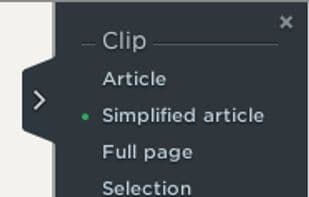
Evernote Web Clipper is a browser extension that lets users save online content—like web pages, articles, PDFs, images, and text—to their Evernote account with one click, supporting screenshots, annotations, and organization to help users collect and manage web information.
Core Functions of Evernote web clipper
Annotate Screenshots
Web clipping
Save web pages offline
Website Screenshots
Screenshot OCR
Instant Screenshot Editing
Usage Scenarios of Evernote web clipper
- Save text, links, and images seen online to Evernote account
- Clip web pages, articles, or PDFs and save to Evernote
- Capture full or partial screenshots of web pages, removing ads and sidebars
- Add highlights, text, and other annotations to webpage screenshots
- Organize saved content with tags, titles, and notebooks for quick retrieval
- Save webpage URLs, images, and descriptions to Evernote notebooks for centralized management
Common Questions about Evernote web clipper
What does Evernote Web Clipper do?
How do I use Evernote Web Clipper?
What are the core features of Evernote Web Clipper?
What are the application scenarios of Evernote Web Clipper?
















