




Product Information
What is Falcon?
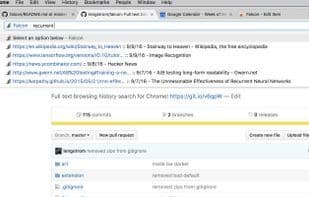
Flexible full-text browsing history search! Press F in the Omnibar, then hit space or tab to start searching through websites you've visited before! Every time you visit a site in Chrome, Falcon indexes all the text on the page, making it easy to find that site later.
How to use Falcon?
Falcon is a Chrome extension that performs full-text indexing on web pages visited by users, enabling them to quickly find these sites later by searching their browsing history.
Core Functions of Falcon
Extendable via Plugins/Extensions, Browser Extensions, Content Search
Usage Scenarios of Falcon
- Type specific commands (f, then space or Tab) in Chrome's address bar to initiate a search.
- Find specific text content in previously visited websites.
- Quickly locate web pages visited after installing extensions.
Common Questions about Falcon
What does Falcon do?
How do I use Falcon?
What are the core features of Falcon?
What are the use cases for Falcon?
















