




Product Information
What is Free browser?
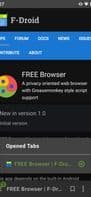
A simple browser optimized for privacy and personalization: ad blocking, automatic cookie decline, GreaseMonKey support, and other features.
Adblocker using Stevenblack's host list
Measures against browser fingerprinting
Cookie Banner Blocker: Automatically "Deny" based on Firefox's cookie banner rules
Advanced settings for JavaScript, cookies, and DOM storage (domain/bookmark-based)
Support for GreaseMonKey-style scripts
Optimized for one-handed use (bottom toolbar)
Tab controls (toggle, open, close, unlimited tabs)
Quick toggle for the most important settings
Search within the current website
Web search (via context menu from selected text)
Save as PDF
Open links in other apps (e.g., YouTube)
Backup
Etc...
How to use Free browser?
FREE browser is a privacy-focused, minimalist browser that offers a safer, more customized web experience with ad-blocking, automatic cookie banner rejection, and Greasemonkey script support.
Core Functions of Free browser
Privacy-focused, ad-free, tracker blocking, no tracking
Privacy-Focused
Ad-Free
Block trackers
No Tracking
Usage Scenarios of Free browser
- Automatically block ads while browsing to reduce distractions.
- Automatically reject cookie banners on websites to protect user privacy.
- Extend browser functionality with Greasemonkey-style scripts.
- Use the bottom toolbar for convenient one-handed operation.
- Efficiently manage unlimited tabs, including switching, opening, and closing.
- Save current webpage content as PDF files for offline viewing.
Common Questions about Free browser
What does FREE browser do?
How do I use FREE browser?
What are the core features of FREE browser?
What are the use cases for FREE browser?
















