



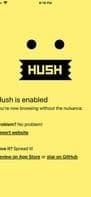

Product Information
What is Hush nag blocker?
Browse the web as it should be — without any ads, cookie consents, or privacy-invasive tracking. It's small, fast, free, open, secure, and has no access to your data.
"I recommend you shush anyone who uses Safari"
— John Gruber, Daring Fireball
Secure and Private
Hush has no third-party dependencies, behavioral tracking, or crash reporting—no data is collected, and nothing leaves your device.
Blocking is done by Safari itself following Hush's instructions, so the app can't access—and has no interest in—your browsing habits. Don’t just take our word for it—we play with open cards and publish our source code for anyone to inspect.
Simple Yet Powerful
Using Hush is as easy as installing and enabling the preference? extension. No setup, no maintenance—just thousands of rules working hard for you in the background.
It works like magic—you won’t notice Hush until you disable it.
Modern, Small, and Fast
The app is primarily a set of rules integrated natively and lightly with Safari, making it disk-space efficient, quick, and effortless.
Free and Open
Hush is both free to use and open-source under the permissive MIT license. No in-app purchases, no nonsense.
Available on All Devices
Hush works on iPhone, iPad, and Mac.
How to use Hush nag blocker?
Hush is a Safari browser extension that blocks annoying cookie consent prompts and privacy-invasive tracking, offering an uninterrupted browsing experience. It is lightweight, fast, free, and privacy-focused.
Core Functions of Hush nag blocker
Cookie clicker
Usage Scenarios of Hush nag blocker
- Avoid frequent pop-ups requesting cookie acceptance when browsing on Safari
- Block privacy-invasive tracking by websites
- Enjoy an uninterrupted Safari browsing experience on iPhone, iPad, and Mac devices
- Experience quieter, noise-free web browsing
Common Questions about Hush nag blocker
What does Hush do?
How do I use Hush?
What are the core features of Hush?
What are the use cases for Hush?
















