




Product Information
What is Joblander?
Find your dream job with real-time interview copiloting.
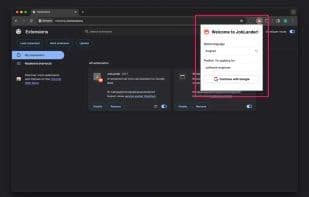
Click the JobLander extension icon, select your desired language and location, then sign in with your Google account. Now, you can start using JobLander in your next Google Meet/Zoom/MS Teams session.
During your Google Meet/Zoom/MS Teams interview, click the extension icon to open the extension UI.
New prompts will automatically scroll into view. To pause auto-prompt scrolling, simply hover your cursor over the application window. To resume auto-scrolling, remove the cursor from the window. Navigate between prompts using your mouse wheel or touchpad scroll.
How to use Joblander?
JobLander is a real-time interview assistant tool designed to help users secure their ideal job during interviews.
Core Functions of Joblander
AI-powered mock interview practice
AI-driven mock interview practice
Usage Scenarios of Joblander
- Use JobLander for real-time prompts during Google Meet interviews.
- Use JobLander as a copilot during Zoom interviews.
- Enable the JobLander extension interface during MS Teams interviews.
Common Questions about Joblander
What does JobLander do?
How do I use JobLander?
What are the core features of JobLander?
What are the application scenarios for JobLander?
















