



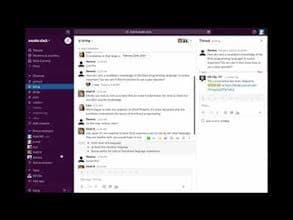

Product Information
What is Kb-clip?
KB Clip helps companies that don't have time to document. It instantly generates rough documentation from casual Slack conversations, which can then be stored in a Wiki for future reference.
How to use Kb-clip?
KB Clip is a Slack integration that quickly converts Slack conversations into searchable documents, how-to guides, and FAQs, helping teams easily build a knowledge base and prevent information loss.
Core Functions of Kb-clip
Instantly Convert Slack Conversations into Documents
One-click Save for FAQs in Slack
Support for Adding Tags and Editing Titles
Provide Shortcuts and Slash Commands for Creating/Searching Pages
Exportable to Wiki Solutions like Notion
Native Slack App Integration
Usage Scenarios of Kb-clip
- Convert daily team Slack conversations into operational guides
- Quickly save and organize FAQs in Slack
- Provide new members with a searchable knowledge base for repetitive questions
- Busy developers quickly document technical processes and solutions
- Avoid important information getting lost in Slack chats
- Build internal company procedure and methodology documentation
Common Questions about Kb-clip
What does KB Clip do?
How do I use KB Clip?
What are the core features of KB Clip?
What are the use cases for KB Clip?
















