




Product Information
What is Malina?
Send content to Telegram Malina using Checklist v3 for Security to enhance content sharing on Chromium-based browsers and other platforms. Features include:
🖼 Easily send images for direct sharing (GIF, JPEG, PNG, TIFF...)
🌐 Share other images from the internet (for Reddit, Twitter, WebP).
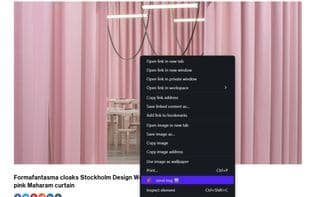
🔗 Quickly send links by right-clicking on empty space on a page to share URLs.
📝 Send text snippets from the browser (supports PDF).
Unique aspects:
Multiple tokens can store up to 5 tokens/groups with "pair names" for easy identification.
Delete tokens by clicking the trash icon—simply remove pairs 🗑.
Retrievable tokens allow for recycling ♻.
Shared bot usage enables friends to collaborate in 👤 group chats using the same bot.
How to use Malina?
Malina is a Chrome extension that enhances content sharing from Chromium-based browsers (like Chrome, Opera, Brave, and Edge) to Telegram, offering secure and convenient ways to send images, links, and text.
Core Functions of Malina
Minimalist
Opera extension
Chromium-based browser
Telegram
Support Telegram
Right-click menu extensions
Minimalist
Usage Scenarios of Malina
- Share images in various formats directly, such as GIF, JPEG, PNG, TIFF, etc.
- Share images from the internet, such as WebP images from Reddit or Twitter.
- Quickly share webpage links by right-clicking on a blank area of the page.
- Send selected text snippets from the browser, supporting PDF files.
- Share the same bot with friends in group chats for collaborative sharing.
Common Questions about Malina
What does Malina do?
How do I use Malina?
What are the core features of Malina?
What are the use cases for Malina?
















