




Product Information
What is Manganum?
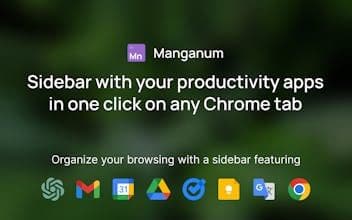
The Manganum sidebar for Google Chrome is highly praised for its ability to simplify browsing and enhance productivity. Users appreciate its integration of various applications like Gmail, Calendar, and ChatGPT, which help in organizing tasks efficiently. The sidebar is renowned for its ease of use, swift performance, and appealing design. Many users find the paid version worthwhile due to its additional features and seamless navigation. Overall, it's considered an essential tool for those managing multiple tools and information daily, with suggestions for future integrations (such as mind-mapping tools).
How to use Manganum?
Manganum is a Chrome sidebar extension integrating Gmail, Calendar, ChatGPT, and other productivity apps to streamline browsing and boost efficiency.
Core Functions of Manganum
Display sidebar on any Chrome tab
Integration with common productivity apps (e.g., Gmail, Calendar, ChatGPT)
One-click view of Google Calendar schedules and join meetings
Support all Google Keep features, including note backgrounds and dark mode
Manage Google Tasks on any tab
Read mobile text messages directly in the extension
Usage Scenarios of Manganum
- Efficiently organize daily tasks
- Manage and integrate multiple productivity tools
- Avoid frequent switching between numerous browser tabs
- Quickly record and manage notes and to-do lists
- Handle emails and calendar events directly while browsing the web
- Read mobile text messages directly in the browser
Common Questions about Manganum
What does Manganum do?
How do I use Manganum?
What are the core features of Manganum?
What are the use cases for Manganum?
















