




Product Information
What is Metaproducts inquiry?
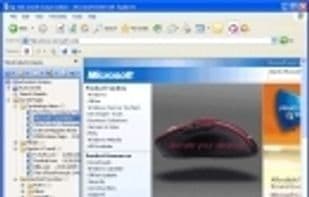
MetaProducts Inquiry helps you collect, organize, and review information you find on the Internet. It is fully integrated with Microsoft Internet Explorer and also available as a standalone application.
The inquiry stores various web files: entire web pages, selected texts and images, Shockwave Flash clips, and more. It can also import documents from your MSIE favorites and export them to various formats for sharing with friends and colleagues. Forget about cumbersome open and close dialogs. Managing stored pages is quick and simple.
You can access the inquiry with just a click on the MS Internet Explorer toolbar or the inquiry sidebar. Click to save the page you're currently viewing, or the text or image you've selected. You can choose to show or hide the inquiry sidebar by selecting the Internet Explorer toolbar menu entry from the View menu and then selecting the Inquiry Bar.
Additionally, you can drag and drop selections from web pages to save them or store links to all selected pages.
The inquiry stores pages much faster than the regular Internet Explorer as a feature.
It allows you to quickly search across all collected pages and display search results in separate tree folders, enabling you to review them later. Organize stored items as needed, categorizing them by topic and purpose using drag-and-drop or standard sorting methods.
Information stored in the inquiry never expires or disappears. Even if a website stops responding or its content changes, you can still browse the page as it was when originally stored.
You can also save websites for offline browsing with the help of AutoSave mode—when enabled, all pages you browse are automatically stored in a special folder within the inquiry.
With the inquiry, you can email stored pages with just a few clicks. Converting pages into convenient formats is easy, such as HTML help files or MHT archives (to reduce file size), Microsoft Word documents, or a small executable file that includes a compact IE-based browsing application.
The inquiry is sophisticated enough to meet the needs of professional researchers yet simple enough for novice users. Researchers, lawyers, writers, scholars, professors, students, or even casual shoppers will find it indispensable for collecting, storing, and managing any type of internet information.
The inquiry eliminates the worry that information found on the internet today might disappear tomorrow—it puts control over internet files right in your hands.
How to use Metaproducts inquiry?
MetaProducts Inquiry is a tool that helps users collect, organize, and view internet information. It stores various web files, supports quick searches and flexible organization, and ensures permanent access to stored information, even if the original website changes or disappears.
Core Functions of Metaproducts inquiry
E-book editor
Browser integration
Website Downloader
Usage Scenarios of Metaproducts inquiry
- Collect and store complete web pages, selected text or images, and Shockwave Flash clips.
- Import documents from MSIE favorites and export them in various formats to share with others.
- Quickly search all collected pages by keywords and view results in independent folders.
- Save web pages for offline browsing or automatically store viewed pages in auto-save mode.
- Email stored pages or convert them to HTML Help, MHT Archive, Microsoft Word, or small executable files.
- Used by professional researchers, lawyers, writers, scholars, professors, students, or general shoppers to collect, store, and manage various internet information.
Common Questions about Metaproducts inquiry
What does MetaProducts Inquiry do?
How do I use MetaProducts Inquiry?
What are the core features of MetaProducts Inquiry?
What are the application scenarios for MetaProducts Inquiry?
















