




Product Information
What is Naturalreader?
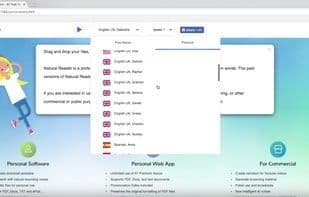
NaturalReader is a professional text-to-speech program that converts any written text into spoken words. The paid version of NaturalReader offers more features. Key features: Fully functional: Reads text files, MS Word files, MS Internet Explorer webpages, Adobe PDF files, and emails. Reading settings/adjustments: Speed, voice (male/female), quality, volume. Easy to use (click technology): No hassle of copying and pasting text like other text-to-speech software. Simply select any text and press a hotkey. Available when your main window is not visible. Floating: Our floating mini-bar gives you another option to listen to text without cluttering your screen. You can also easily switch between the floating mini-bar and the main window. User-friendly interface: NaturalReader is designed with a friendly, intuitive, and expressive interface, so users with minimal computer knowledge can use it easily. Multiple ways to adjust voice and reading speed: On the left side of the screen reader's main window, you'll find a speaker menu and a speed control slider. This allows you to tweak the currently selected voice and speed. These adjustments can also be made in settings or using hotkeys. Zoom text: This feature is designed for the elderly and those with visual impairments. Simply scroll to the 'View menu' and select 'Zoom In' to enlarge the text. Change text font: Font settings let you change the text font, style, and size as you wish.
How to use Naturalreader?
NaturalReader is a professional text-to-speech program that converts any written text into spoken words. It offers natural AI voices and supports online, mobile, commercial, and educational use cases.
Core Functions of Naturalreader
Text to speech
Text highlighting
Save as MP3
Text-to-speech
Scroll synchronization
Portable
Usage Scenarios of Naturalreader
- Listen to document content.
- Create professional voice-overs.
- Use on mobile devices.
- Listen to web content directly.
- Clone voices using AI.
Common Questions about Naturalreader
What does NaturalReader do?
How do I use NaturalReader?
What are the core features of NaturalReader?
What are the application scenarios for NaturalReader?
















