




Product Information
What is Noir-usb-camera-hdmi-monitor?
To use your device as a portable monitor for cameras, gaming consoles, laptops, PCs, or other devices with HDMI output, you'll need an HDMI to USB-C dongle (also known as a UVC capture device or video capture card, not a USB-C hub or USB-C to HDMI cable).
How to use Noir-usb-camera-hdmi-monitor?
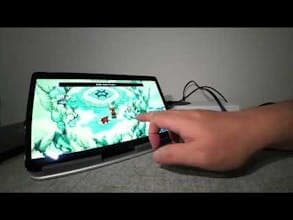
Noir is an Android app that turns Android devices into portable displays for showing content from HDMI output devices like cameras, gaming consoles, laptops, or USB streaming devices, offering high-quality USB camera viewing and HDMI display functionality.
Core Functions of Noir-usb-camera-hdmi-monitor
Supports UVC and UAC Protocols
Provides OpenGL ES or Vulkan Graphics Backend
Professional Display Tools Like 3D LUTs, Waveform Monitors, Histograms
Image Analysis Features Including Edge Detection, False Color, Zebra Stripes
Supports Image Scaling, Stretching, Cropping, and Lens Distortion Correction
Offers Brightness, Contrast, Saturation Adjustments and In-App Screenshots
Usage Scenarios of Noir-usb-camera-hdmi-monitor
- Use as a camera monitor
- Serve as a primary display for gaming consoles/PCs
- Function as a laptop secondary screen
- Operate as a drone monitor
- Compatible with any HDMI output device
- Works with any USB streaming device
Common Questions about Noir-usb-camera-hdmi-monitor
What does Noir do?
How do I use Noir?
What are the core features of Noir?
What are the application scenarios of Noir?
















