




Product Information
What is Onelaunch?
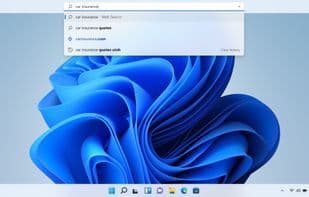
We've built OneLaunch, bringing you a new and improved Windows experience. Our desktop integration offers a sleek new way to search the web and access a multitude of features and utilities right from the convenience of your desktop. Pinned at the top of your screen, OneLaunch makes it simple and efficient to go wherever you need. Designed with your needs in mind, we recognized that much of our computer time is spent searching the web, so we set out to create a better browsing experience. We call it OneLaunch.
By harnessing the power of Chromium, the open-source project behind Chrome, we deliver a robust browsing experience with impressive search capabilities. Enter simple queries into the OneLaunch search bar and navigate results at lightning speed. Plus, with all your favorite bookmarks and customizable widgets—like time, weather, and the latest news accessible from your personalized dashboard—you can stay productive and up-to-date.
But we didn’t stop there. OneLaunch offers additional customization features designed to enhance your browsing experience. Keep track of open applications with the OneLaunch dock and utilize our clipboard history to recall important information you’ve copied in the past.
Now, let’s talk about shortcuts. We’ve included some tailored customizations to give you quick access to the tools you use most, like the Windows screenshot tool, recent files, and the Recycle Bin.
To make your digital life even easier, we’ve added a selection of apps in the OneLaunch App Market. Here, you’ll find applications for maps and directions, weather, shopping, calculators, dictionaries, email, package tracking, and more. The best part? We’re constantly expanding this list to make OneLaunch even more suited to your needs. Don’t see one of your favorites listed? Let us know—we’d be happy to add it for you.
How to use Onelaunch?
OneLaunch is a Windows desktop integration tool enhancing the experience with web search, personalized dashboards, and quick access to apps and functions.
Core Functions of Onelaunch
Chrome-like
Chromium-based browser
Usage Scenarios of Onelaunch
- Quickly search the web and browse results.
- View time, weather, and news on a personalized dashboard and access favorite bookmarks.
- Track clipboard history and manage copied important info.
- Access system tools like screenshot tools, recent files, and recycle bin with one click.
- Use handy tools like maps, weather, and shopping from the built-in app store.
Common Questions about Onelaunch
What does OneLaunch do?
How do I use OneLaunch?
What are the core features of OneLaunch?
What are the use cases for OneLaunch?
















