




Product Information
What is Orca browser?
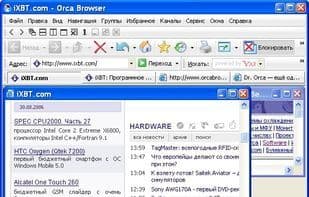
Orca Browser is an exceptionally fast and user-friendly web browser designed to enhance the latest version of Firefox with additional features. Not only does Orca Browser include all the standard features of a typical Gecko-based browser—such as security, low memory consumption, a spell-checker, and a built-in download manager—it also boosts speed and incorporates built-in functionalities like an Ad Blocker, Flash Blocker, Online Profile Storage, an Auto Form-Filler, and an Outlook-style RSS Reader. The Auto Form-Filler helps remember or fill in various types of web forms and passwords, and it can secure them with a master password. The Online Profile Storage allows users to create their own accounts. Using their username and password, users can choose to save or access personal data—such as bookmarks, auto-fill information, and RSS feeds—remotely from any computer.
How to use Orca browser?
Orca Browser is a fast, user-friendly Firefox-based browser with ad-blocking, form autofill, and other built-in features for enhanced speed and convenience.
Core Functions of Orca browser
Automatic Form Filler
Built-in Download Manager
Firefox-based browser
Built-in Ad Blocker
Built-in RSS reader
Based on Gecko engine
Usage Scenarios of Orca browser
- Automatically remember and fill in various types of web forms and passwords
- Remotely save and access personal data such as bookmarks, autofill information, and RSS subscriptions
- Block web ads and Flash content
- Read RSS subscriptions in an Outlook-style interface
Common Questions about Orca browser
What does Orca Browser do?
How do I use Orca Browser?
What are the core features of Orca Browser?
What are the application scenarios of Orca Browser?
















