




Product Information
What is Photodj-slideshow-photos-on-a-big-screen?
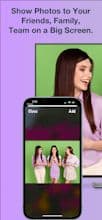
The simplest way to showcase photos from your phone's library on a big screen. It works with Apple/Android TV, smart TVs, PCs, Macs, tablets, and even other phones. Photos stay within your local WiFi. No registration needed! Perfect for PechaKucha and more!
1. Open https://photodj.me on your chosen device/browser (smart TV, PC, Mac, tablet).
2. Select your photos from the gallery.
3. Tap "Now" and scan the QR code.
4. Browse through your phone's photos to display them on the big screen.
How to use Photodj-slideshow-photos-on-a-big-screen?
PhotoDJ is an easy-to-use tool that projects photos from your phone album onto a large screen for display, requiring no registration and keeping photos within the local WiFi network.
Core Functions of Photodj-slideshow-photos-on-a-big-screen
Projects phone photos onto a large screen
No registration required to use
Photos transmitted within local WiFi
Supports multiple devices and platforms
Control projected content via phone swipes
Usage Scenarios of Photodj-slideshow-photos-on-a-big-screen
- Conduct PechaKucha-style presentations.
- Show photos to friends and family.
- Present photos to your team.
- Share phone photos across different devices.
Common Questions about Photodj-slideshow-photos-on-a-big-screen
What does PhotoDJ do?
How do I use PhotoDJ?
What are the core features of PhotoDJ?
What are the use cases for PhotoDJ?
















