




Product Information
What is Pinly?
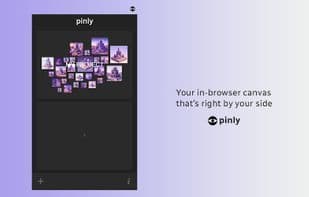
An extension to keep all your references in one place. Pinly is your browser canvas, always at your side.
Capture inspiration instantly. While browsing the internet, add images, hyperlinks, and notes to Pinly. You can create up to 100 different canvases.
Open a canvas with a single click in the console.
Features:
- Add images via right-click
- Create hyperlinked notes by highlighting and right-clicking
- Import images from your computer
- Draw directly on the canvas
- Organize your ideas in the browser
- Resize elements to establish visual hierarchy
- Flip items vertically and horizontally
- Zoom in on the canvas
- Export A3 and A4 PDFs (landscape and portrait) directly from the canvas
- Right-click any image
- Download one or multiple images simultaneously (via their URLs)
- And more
How to use Pinly?
Pinly is a browser extension that provides an in-browser canvas to help users collect, organize, and manage various reference materials such as images, hyperlinks, and notes while browsing the web.
Core Functions of Pinly
Dark Mode
Mood board
Creative management
Usage Scenarios of Pinly
- Quickly collect images, hyperlinks, and notes while browsing the web.
- Organize and layout collected ideas within the browser.
- Export canvas content as PDF files in A3 or A4 sizes.
- Manage and locate collected reference images.
- Manage internet content as a personal knowledge base.
Common Questions about Pinly
What does Pinly do?
How do I use Pinly?
What are the core features of Pinly?
What are the application scenarios of Pinly?
















