




Product Information
What is Pluma browser?
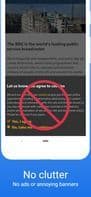
Pluma is a simple and fast web browser that blocks ads and annoying banners.
🚫 No ads
Built-in adblock for a better experience, allowing you to browse your favorite sites.
💨 Lightweight
Designed to run smoothly on a variety of devices, including Android GO and other low-end models.
🌃 Dark mode
Gives your eyes a break by darkening web content.
🙈 Incognito mode
Use incognito tabs to automatically delete all browsing data (history, cookies, cache) from your device.
📉 Data saving
Options to reduce data consumption and lower your bills.
🎥 Picture-in-picture video playback
When watching videos in full screen, Pluma activates picture-in-picture mode, letting you continue viewing while using other apps.
How to use Pluma browser?
Pluma Browser is a simple and fast web browser with built-in ad-blocking, aimed at delivering an ad-free, lightweight, and data-efficient browsing experience, while also supporting dark mode and private browsing.
Core Functions of Pluma browser
Privacy-focused, lightweight, ad-free, tracker-blocking, no tracking, no registration required
Privacy-focused, lightweight, ad-free, tracker-blocking, no tracking, no registration required
Usage Scenarios of Pluma browser
- Browse favorite websites without ads and annoying banners.
- Use smoothly on Android Go or other low-end devices, as it's lightweight and space-efficient.
- Continue watching full-screen videos in picture-in-picture mode while using other apps.
- Reduce data consumption with data-saving options, lowering data costs.
- Use incognito mode for private browsing, ensuring browsing data (history, cookies, cache) is automatically cleared from the device.
- Enable dark mode to give your eyes a rest at night or in low light.
Common Questions about Pluma browser
What does Pluma Browser do?
How do I use Pluma Browser?
What are the core features of Pluma Browser?
What are the use cases for Pluma Browser?
















