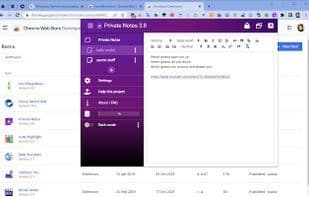

Product Information
What is Private notes?
Private Notes allows you to write password-protected, fully encrypted notes.
Your notes can be synchronized with Firefox Sync's encrypted engine across multiple devices.
Perfect for storing the most sensitive information such as recovery codes, Wi-Fi passwords, server configurations, and more...
**Privacy & Permissions:**
No Permissions - This add-on cannot make any remote requests or submit any data!
All data is always encrypted and then synchronized using Firefox's built-in end-to-end encrypted "Firefox Sync" engine (yes, the data is doubly encrypted!).
Your password is not stored at all. It is hashed using the advanced PBKDF2 function with 100K iterations and strong salting.
Unlocked notes and decryption keys are never stored on the drive—they remain in the system's RAM (inaccessible to any other apps and cleared when the browser is closed).
Even if someone gains access to your PC, they cannot access your notes or password. This is one of the safest solutions ever!
**Top Features:**
- **Encrypted Notes** – All notes are always stored encrypted!
- **Auto-Lock** – Helps keep your notes locked when you leave your PC.
- **Auto-Backup** – Local backups of notes are created on each device, plus Firefox Sync maintains encrypted backups in the Firefox Cloud.
- **End-to-End Encryption** – All transmitted data is encrypted again via Firefox Sync between your Firefox browsers.
- **No Extra Accounts Needed** – Firefox Sync handles everything.
- **Advanced Text Editor** – Supports numerous advanced text features.
- **Code Highlighting** – For many popular languages and configurations.
- **Compression** – All notes are compressed to save space.
**To sync encrypted notes across devices:**
1. Enable Firefox Sync functionality—simply log into your Firefox account using the toolbar icon.
2. Enable "Add-ons" sync on the Sync tab in Firefox's options page (accessible via `about:preferences#sync`).
How to use Private notes?
Private Notes offers a secure and encrypted platform for storing sensitive notes protected by passwords. It supports syncing encrypted notes across different devices via Firefox Sync, ensuring the privacy and security of user data.
Core Functions of Private notes
Automatic backup
End-to-End Encryption
Cloud Sync
Syntax Highlighting
Firefox Sync
Encrypted notes
Usage Scenarios of Private notes
- Store recovery codes
- Save Wi-Fi passwords
- Record server configurations
- Use as a secure notepad for passwords
Common Questions about Private notes
What does Private Notes do?
How do I use Private Notes?
What are the core features of Private Notes?
What are the use cases for Private Notes?