




Product Information
What is Runape?
Use the Hunter app to select elements on a webpage for direct monitoring.
No URLs to copy.
Monitor text and numeric changes to alert you about updates that matter.
Simple ignore filters block irrelevant changes and reduce false alarms.
You decide how the change results appear.
A cloud-based solution with issue tracking and support.
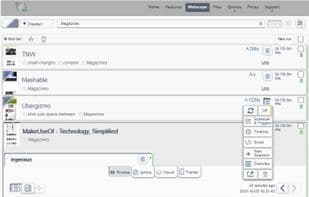
Manage all monitors on a single page.
Robust check schedule, with a minimum check time of 10 minutes.
Archive website changes and view historical updates.
Use the SCRIBER browser extension to perform browser actions (like logging in, custom filters, and accessing pages behind the scenes).
Run custom JavaScript (Casperjs or Puppeteer).
Utilize file webpages for custom files and scripts.
Automatically remove cookie banners, ads, and overlays.
Comprehensive error reporting and logs.
Mobile-ready search, tabs, and infinite scrolling.
User-friendly guide and introductory videos.
Get notified through over 65 different methods.
REST API to meet all your needs.
Flexible credits.
How to use Runape?
RunApe is a website monitoring tool that tracks content changes and potential security threats, allowing users to select specific elements for tracking to stay updated on important changes.
Core Functions of Runape
Website Monitoring
Cloud Monitoring
Browser Extension
Real-Time Push Notifications
Third-party integrations
REST API
Usage Scenarios of Runape
- Monitor website content changes
- Detect website security threats
- Tracking changes in specific text or numbers
- Archiving website changes and viewing history
- Detecting changes in list and article structures
- Monitoring pages that require login or applying custom filters
Common Questions about Runape
What does RunApe do?
How do I use RunApe?
What are the core features of RunApe?
What are the application scenarios for RunApe?
















