




Product Information
What is Safarikeywordsearch?
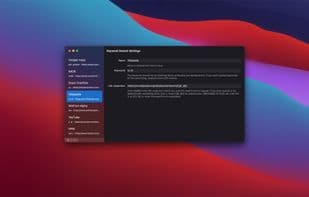
A simple yet powerful tool to access multiple search engines with keywords (e.g., 'W monkey' searches Wikipedia). Default searches include Amazon, DuckDuckGo, Google, YouTube, and more. Add custom searches and contribute to the open-source project (though the code is spaghetti-like).
How to use Safarikeywordsearch?
SafariKeywordSearch is a macOS and iOS Safari extension that allows users to quickly search the web using any search engine by typing simple keywords into the address bar, altering default search behavior.
Core Functions of Safarikeywordsearch
Keyword research, Safari extension, browser extension
Keyword Research
Safari extension
Browser Extension
Usage Scenarios of Safarikeywordsearch
- Type 'w monkeys' in the address bar to search Wikipedia for 'monkeys'.
- Enter 'a [product name]' to search for items on Amazon.
- Input 'gm [location]' to find places on Google Maps.
- Type 'y [video title]' to search YouTube for videos.
- Add custom search keywords to access specific sites or search engines.
Common Questions about Safarikeywordsearch
What does SafariKeywordSearch do?
How do I use SafariKeywordSearch?
What are the core features of SafariKeywordSearch?
What are the use cases for SafariKeywordSearch?
















