




Product Information
What is Screen shader?
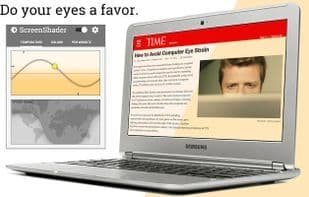
Screen Shader is a Chrome extension that automatically adjusts your screen's color to match the daylight cycle in your time zone. Computer monitors emit white and blue light, which can strain your eyes and disrupt your sleep cycle. Screen Shader applies a soothing orange tint to the screen to reduce eye fatigue, restore day/night balance, and offers a variety of settings to suit individual preferences!
Q: Why do I need this? Can't I just adjust the screen brightness?
A: Changing brightness doesn't eliminate white and blue light from the display. These colors remain unnatural and can still irritate your eyes, even when dimmed. Prolonged screen exposure can disrupt melatonin cycles and your internal clock, while unnatural light may harm your retina. Screen Shader minimizes these effects by filtering out excessive white and blue light, ensuring optimal browsing comfort.
Screen Shader includes numerous settings, such as:
- Day/Night tint customization
- Custom transition phases
- Custom color selection
- Full-screen mode
- Tint scrolling
- Contrast boost, dimming, and hard mode
- Cool color-changing icon
- Custom tints for specific URLs
Keyboard shortcuts:
- **Ctrl + Shift + Up** to increase tint
- **Ctrl + Shift + Down** to decrease tint
- **Ctrl + Shift + S** to disable tint
- **Ctrl + Alt + P** to party mode!
And more! Edit them in the menu.
Screen Shader requires no page reloads and includes specialized support for YouTube and Vimeo HTML5 players! Tested on Windows, Mac, and Chrome OS, it’s continuously debugged and updated.
How to use Screen shader?
No usage instructions available, please contact customer service for details
Core Functions of Screen shader
Color temperature
Blue light filter
Color Temperature
Blue light filter
Usage Scenarios of Screen shader
No usage scenarios available, please contact customer service for details
Common Questions about Screen shader
No common questions available, please contact customer service for details
















