




Product Information
What is Stark?
Stark makes it easy for designers and developers to keep digital accessibility in mind.
• Incorporate accessibility at the start of the product development process;
• Identify historical accessibility issues so teams can create plans to address technical debt;
• Use Stark within regular design and engineering workflows, integrating with tools like Figma and Sketch. Stark also offers browser extensions for every type of browser.
How to use Stark?
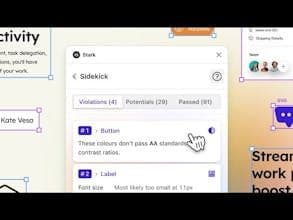
Stark is a platform offering integrated accessibility tools for design and development teams, helping them build products compliant with digital accessibility standards throughout the product lifecycle and automate compliance. Its core value is simplifying accessibility workflows to ensure software is usable by everyone.
Core Functions of Stark
Incorporate Accessibility into Product Development
Identify and Fix Accessibility Errors
Integrate with Major Design and Development Tools and Browsers
AI-Powered Automated Scanning and Fix Suggestions
Centrally Manage Company Accessibility Compliance
Provide Real-Time Accessibility Reports and Insights
Usage Scenarios of Stark
- Designers implement accessible design
- Developers fix accessibility issues in code
- Product managers oversee accessibility workflows
- Compliance managers ensure products meet regulations
- Company teams apply throughout the product development lifecycle
- Conduct accessibility audits and reports
Common Questions about Stark
What does Stark do?
How do I use Stark?
What are the core features of Stark?
What are the use cases for Stark?
















