




Product Information
What is Stylus?
Stylus enables you to easily install themes and skins for many popular websites.
Redesign your favorite sites with Stylus, a userstyles manager that's actively developed and community-driven. Effortlessly install custom themes from popular online repositories, or create, edit, and manage your own personalized CSS stylesheets.
Features
- **Versatile theme installation options**: Stylus supports installations from popular online repositories. Additionally, you can now install styles from `.user.css` or `.user.styl` URLs (refer to the USERCSS format documentation on our GitHub wiki).
- **Backup functionality** for your entire installed styles database, compatible with other UserStyles managers.
- **Intuitive and configurable auto-update** for installed styles.
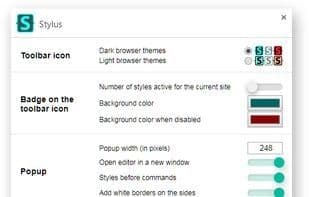
- **Highly customizable UI**, including themes, optional layouts, icon and badge color choices, and numerous other tweaks.
- **Two distinct optional code validators** with user-configurable rules.
- **One-click disable** for all styles.
- **N+1 clicks disable** for N styles.
How to use Stylus?
Stylus is a user style manager that allows users to install themes and skins for popular websites, redesigning their appearance. It supports installing custom themes from online repositories or creating, editing, and managing personalized CSS stylesheets, with a focus on user privacy.
Core Functions of Stylus
Customizable
Configurable
Privacy-focused
No tracking
Themes
Bug Reporting
Usage Scenarios of Stylus
- Install themes and skins for popular websites.
- Create, edit, and manage personalized CSS stylesheets.
- Use for simple test automation or workflow automation to hide page elements.
- Create dark mode for websites.
- Override the existing design of web pages.
Common Questions about Stylus
What does Stylus do?
How do I use Stylus?
What are the core features of Stylus?
What are the application scenarios of Stylus?
















