




Product Information
What is Supa-screenshot?
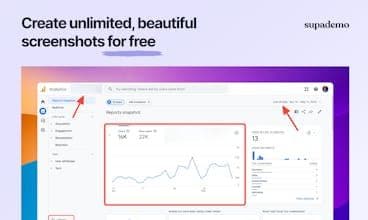
SUPA Screenshot is elegant, customizable, and captures instant screenshots in seconds. Here's how Supa Screenshot works: 1. Capture the screenshot 2. Annotate or enhance 3. Copy, save, or share as a URL.
How to use Supa-screenshot?
Supa Screenshot is a free online tool designed to help users quickly capture, enhance, and share screenshots, creating professional and appealing images without requiring design skills.
Core Functions of Supa-screenshot
Quickly Capture Screenshots of Full Screen or Selected Areas
Built-In Editor for Cropping, Annotating, Blurring, and Enhancing
Support for Delayed Screenshot Capture
One-Click Copy to Clipboard, Download, or Share as URL
Add Screenshots to Existing Supademo
Usage Scenarios of Supa-screenshot
- Showcase product interfaces and designs to potential customers.
- Highlight key product features.
- Capture pop-ups, menu items, or time-sensitive content.
- Maintain and update interactive demos.
Common Questions about Supa-screenshot
What does Supa Screenshot do?
How do I use Supa Screenshot?
What are the core features of Supa Screenshot?
What are the use cases for Supa Screenshot?
















