




Product Information
What is Surfingkeys?
Overview
Web browser extension adds rich shortcut clicks for links/tab switching/page scrolling or capturing full pages, enhancing Chrome productivity akin to VIM.
A Chrome extension tailored for VIM users, though Emacs enthusiasts will appreciate it too, thanks to its extensible JavaScript.
Click Links
- `f` opens a link; press Shift if overlapping hints appear.
- `C` opens a link in a new inactive tab.
- `CF` opens multiple links in new tabs.
- `GF` opens a link in a new inactive tab.
- `AF` opens a link in a new tab.
Switch Tabs
- `e` moves one tab left.
- `r` moves one tab right.
- `x` closes the current tab.
- `X` restores a closed tab.
- `W` opens a new window with the current tab.
- `j` shifts the current tab left.
- `k` shifts the current tab right.
- `YT` duplicates the current tab.
- `<<` shifts the current tab left.
- Moves the current tab right.
- `G0` jumps to the first tab.
- `G$` jumps to the last tab.
- `GX0` closes all tabs to the left.
- `gxt` closes tabs to the upper left.
- `GXT` closes tabs to the right.
- `gx$` closes all tabs.
Scroll Pages / Divs
- `0` scrolls left.
- `e` scrolls a page up.
- `D` scrolls a page down.
- `GG` scrolls to the top of the page.
- `G` scrolls to the bottom of the page.
- `J` scrolls down.
- `K` scrolls up.
- `h` scrolls left.
- `l` scrolls right.
- `$` scrolls all the way right.
- `%` scrolls to a percentage of the current page.
- `CS` resets scroll target.
- `CS` changes scroll target.
Capture Full Page / Div
- `YG` captures the current full page.
- `YS` captures the scrolling element.
Search with Engines
- `SG` searches selected text with Google.
- `SW` searches selected text with Bing.
- `SY` searches selected text with YouTube.
- `SB` searches selected text with Baidu.
Edit Input with VIM Editor
- `Ctrl-i` jumps to an edit box in VIM editor.
Edit URL with VIM Editor
- `SU` edits the current URL using VIM editor.
How to use Surfingkeys?
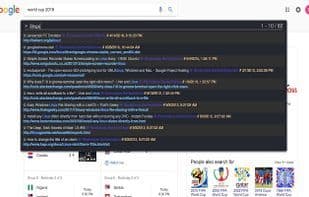
Surfingkeys is a browser extension that provides users with rich shortcuts to operate the browser efficiently, Vim-style, boosting productivity.
Core Functions of Surfingkeys
Vim Key Bindings
Bookmark Search
Tab search
Keyboard Navigation
Browser Extension
Usage Scenarios of Surfingkeys
- Click links on web pages via shortcuts
- Quickly switch, close, or move browser tabs
- Efficiently scroll pages or specific areas
- Capture full pages or scrolling elements
- Search selected text with multiple search engines
- Edit input boxes or URLs with Vim editor
Common Questions about Surfingkeys
What does Surfingkeys do?
How do I use Surfingkeys?
What are the core features of Surfingkeys?
What are the use cases for Surfingkeys?
















