




Product Information
What is Tab finder?
Search, navigate, and organize your browsing history faster than ever. This lightweight Safari extension boosts productivity with quick tab switching and search. Navigate through the history of 'open' tabs with Option+Tab, just like you navigate between apps.
Features:
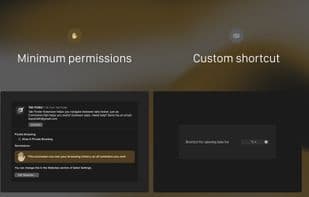
Switch tab history navigation with Option+Tab (or set your own shortcut);
Tab search;
Customizable shortcuts;
Ability to set colors to;
Ability to sort tabs other than the last one;
Ability to configure column order;
Ability to keep the tab list panel open when releasing the shortcut;
Dark mode, light mode;
Does not request permission to read 'webpage content.' Access to 'browsing history' is only used to display tab titles;
Fully written in Swift. Not a single line of JS;
Works even on loading, empty, and history pages;
Does not dim Safari when opening the list panel;
Gorgeous design;
Almost native experience;
Open source. This means 100% transparency;
Remember:
The extension does not yet work with profiles;
When switching between tab groups, the extension will lose the tab switching history;
After restarting your Mac, open the app again to start using it;
The extension can only search tabs in the last focused window. It will not search across multiple windows. Each window has its own tab navigation history. This will change in the future. The Tab Finder icon must always remain in the Safari toolbar to work
The plugin's functionality is slightly similar to that of the Chrome Tab Switcher, which Chrome users typically invoke with Command+Shift+A.
How to use Tab finder?
Tab Finder is a Safari browser extension that enables instant tab switching, searching, and history navigation via the Option+Tab shortcut, helping users search, navigate, and organize browsing history more efficiently.
Core Functions of Tab finder
Lightweight
Customizable
Dark Mode
Tab manager
Support for Keyboard Shortcuts
Safari extension
Usage Scenarios of Tab finder
- Use Option+Tab to quickly navigate and switch between open tab histories.
- Quickly find specific tabs using the search function.
- Organize and manage large volumes of browsing history.
- Close tabs by swiping or clicking the close button.
- Open new tabs from history records.
- Customize shortcuts to fit personal usage habits.
Common Questions about Tab finder
What does Tab Finder do?
How do I use Tab Finder?
What are the core features of Tab Finder?
What are the use cases for Tab Finder?
















