




Product Information
What is Tab utilities?
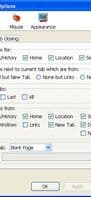
Open bookmarks/history/homepage/URL/search in a new tab, along with more utilities for tabbed browsing, including Open Tab Next, focus related/last accessed tabs, protect/lock/pin/faviconize tabs, multiple tab handlers, click options, and more.
Features include:
Open bookmarks/history/homepage/URL/search in a new tab (left-click for foreground, middle-click for background, Ctrl+left-click in current tab)
Open new tabs adjacent to the current tab
Reuse empty tabs, automatically close accidentally blank tabs
Focus related/unread/last accessed tabs after closing the current tab
Ctrl+Tab to navigate tabs in most-recently-used order
Highlight current/unread tabs
Undo close tab button, restore last closed tab
Force new tab/force background/force foreground options
Duplicate/protect/lock/pin/rename tabs
Auto-load tabs at specified intervals
Auto-focus/unload tabs after a period of inactivity
Move to window/merge windows, move to group/merge groups
Close left/right/duplicate/similar/all tabs
Built-in multiple tab handlers
Mouse click options, including left/middle/right/double/Ctrl/Alt/Shift-click on bookmarks/links/tabs/tab bar/new tab button
Session history click options on tabs
Keep menu open for middle-clicking bookmarks
Right-click as middle-click for bookmarks and links
Open links from session history in new tabs
Open selected links in new tabs
Single-window mode
Multi-row tab bar
...
How to use Tab utilities?
Tab utilities is a browser extension designed to enhance tab browsing with features like opening bookmarks, history, or links in new tabs, and protecting, locking, and renaming tabs.
Core Functions of Tab utilities
Tab manager
Legacy Firefox add-on
Usage Scenarios of Tab utilities
- Open bookmarks, history, homepages, URLs, or search results in new foreground or background tabs.
- After closing the current tab, automatically focus on a related, unread, or last-selected tab.
- Use Ctrl+Tab to navigate tabs in order of recent usage.
- Protect, lock, favorite, pin, or rename tabs for better management.
- Set tabs to auto-reload or unload after a specified inactivity period.
- Control bookmark, link, and tab behavior via mouse clicks (e.g., left, middle, right, double-click).
Common Questions about Tab utilities
What do Tab utilities do?
How do I use Tab utilities?
What are the core features of Tab utilities?
What are the use cases for Tab utilities?
















