




Product Information
What is Turn off the lights?
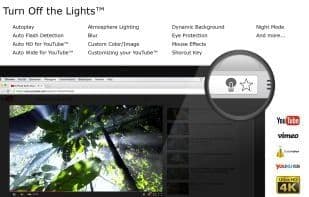
Turn Off the Lights is a lightweight and useful add-on designed for a more comfortable viewing experience. It works with all known video sites such as YouTube, Vimeo, Dailymotion, Hulu, Metacafe, Youku, and more. Not only that, but these extensions are compatible with Google Chrome, Apple Safari, Mozilla Firefox, Opera, Microsoft Edge, Maxthon, Vivaldi, Brave, and Naver Whale web browsers.
Some great features of this browser extension include:
- One-click to turn the lights on/off
- Supports multiple video sites: YouTube, HTML5 videos, and more
- Customize your YouTube:
- Auto HD: Set videos to play automatically in resolutions from 8K > 5K > 4K > 1080p > 720p > 480p > 360p > 240p > 144p > Default
- Auto Wide: Play videos in the widest mode automatically, and more
- Easter eggs:
- Shortcut key: T – Do you like the real cinema feel?
- Option to dim the screen when the user clicks the play button
- Option to enable/disable fade-in and fade-out effects
- Customizable colors
- Option for flash detection
- Option to display a dim level bar
- Night protection option with whitelist/blacklist filters
- Ambient lighting option, showing a glow around the video player
- Option to display a dark layer at the top of the window
- Shortcut key options:
- Camera motion option
- Voice recognition option
- Mouse wheel volume control option for each HTML5 video player
- Option to add filters to the current HTML5 video player (grayscale, sepia, invert, contrast, saturation, hue rotation, and brightness)
- Option to display audio visualizations on top of the current HTML5 video (blocks, frequency, and music tunnel)
- Option to loop the current HTML5 video player
- Option to place a night mode switch for toggling YouTube between black or white themes, with whitelist/blacklist filters
- Option to autoplay YouTube and HTML5 videos
- And much more...
How to use Turn off the lights?
Turn Off the Lights is a lightweight browser extension designed to enhance video viewing comfort by darkening the page background with a single click, supporting multiple video sites.
Core Functions of Turn off the lights
Lightweight, distraction-free, privacy-focused, dark mode, no tracking, extensible via plugins/extensions
Usage Scenarios of Turn off the lights
- Darken page backgrounds when watching videos on YouTube, Vimeo, Dailymotion, etc., for better immersion
- Enable eye protection mode when watching videos at night to reduce eye strain
- Automatically set YouTube videos to HD or widescreen mode for playback
- Control HTML5 video volume, add filters, or loop playback via shortcuts or mouse wheel
- Simulate a cinema viewing atmosphere for more focused video content
Common Questions about Turn off the lights
What does Turn Off the Lights do?
How do I use Turn Off the Lights?
What are the core features of Turn Off the Lights?
What are the application scenarios for Turn Off the Lights?
















