



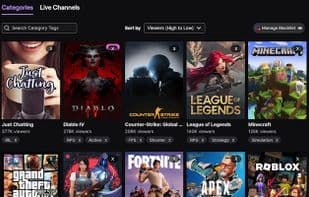

Product Information
What is Unwanted twitch?
Features
Hide unwanted categories/games
Hide unwanted channels/streams
Hide unwanted tags
Hide stream replays
Hide streams by their title
Option to disable filtering on the 'Following' page (in settings)
Toggle visibility of 'x' buttons
Share blacklists via import/export (in settings)
Auto-sync blacklists across devices (opt-in in settings)
One-click disable/enable extension (click the icon)
Compatible with Frankerfacez (FFZ) and other popular Twitch add-ons
Supports Twitch dark mode
Supports pattern matching and regex for dynamic blacklists
Supported Pages
Browse: Categories
Browse: Live Channels
Game: Live Channels (unfiltered preview sliders)
Game: Videos
Game: Clips
Front Page/Discover (unfiltered carousels)
Explore Games/IRL/Music/Creative/Esports
Following
Sidebar (filtering only—no 'add to blacklist' buttons)
You can still access blacklisted content via direct links
Important Note: Handling Twitch's various site views is an arms race—this isn't and will never be perfect. If you expect flawless performance, don't install it. Understand the limits.
How to use Unwanted twitch?
Unwanted Twitch is a browser extension that hides unwanted streams, games, categories, channels, and tags on Twitch for a more personalized, distraction-free viewing experience.
Core Functions of Unwanted twitch
Distraction-Free, Block Interruptions
Usage Scenarios of Unwanted twitch
- Hide uninteresting content while browsing categories on Twitch.
- Filter out unwanted streams when watching live channels on Twitch.
- Hide irrelevant streams on specific game pages.
- Filter recommended content on Twitch's homepage or discovery page.
- Manage and filter followed streams on the 'Following' page.
- Filter displayed content in the sidebar.
Common Questions about Unwanted twitch
What does Unwanted Twitch do?
How do I use Unwanted Twitch?
What are the core features of Unwanted Twitch?
What are the application scenarios for Unwanted Twitch?
















